Flat / Website and prototype previews
Send your website draft for review.
Let a client open the page you have built on their own screen. Publish a static website draft or clickable prototype with Flat, then send its link with the decisions you need them to make.
Checking your upload limits... · Public · Limits
Drop your website files here
or choose files from your device.
Choose website filesThis uploader creates public links. For private files, set a password through the CLI or API.
Review the page at its actual size.
Reviewers can scroll the page and resize their browser. They can follow navigation or try interactions that your export supports, giving you feedback on the working draft as well as its appearance.
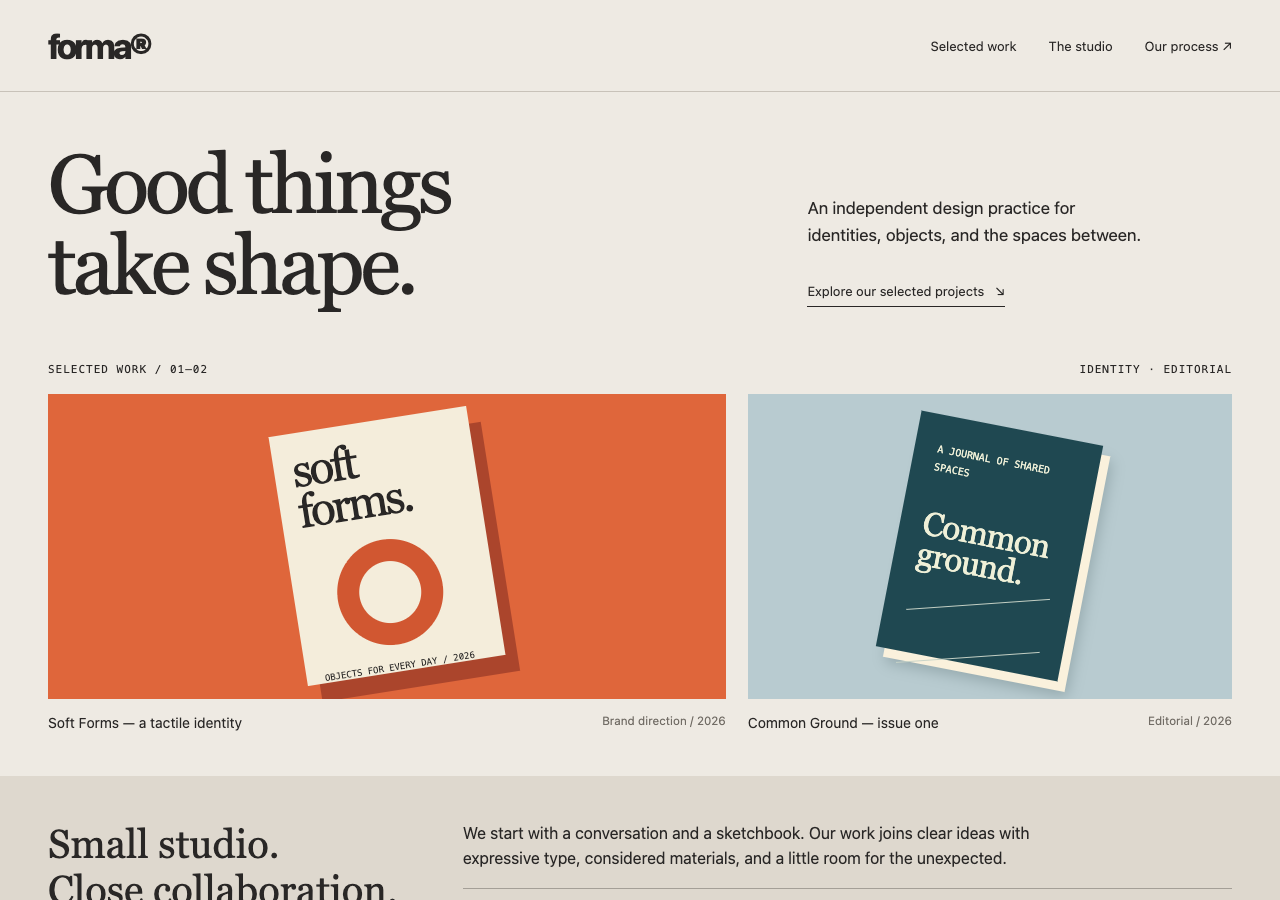
Explore an original studio homepage, follow its section links, and expand the process notes. The layout adapts to a phone screen.
Ask for feedback on a specific journey.
Send the draft with a short task, such as finding a product detail or reaching the contact page. Explain which screens are ready and where you used placeholder content. Your reviewer can then describe the point where they got stuck. Collect that feedback in your existing email thread or project tool.
Keep the export's folder structure.
Publish the built output with its stylesheets and images. A root index.html opens your site instead of Flat's file explorer. Use the CLI for a site with subfolders so relative paths stay intact. If the prototype depends on a development server, produce a compatible static build before sharing it through Flat.
Prepare your files and share the link
1. Build the review copy
Export the pages you want to show. Label simulated actions, such as a checkout button that does not place an order.
2. Publish the output
Upload a standalone HTML page above, or publish the built folder through the CLI. Extract ZIP exports first.
3. Follow the review path
Open the link on desktop and phone. Follow the navigation, then send the URL with your review task.
Before you publish
Can I publish a React prototype?
Yes, when its build produces static files and its required interactions run in the browser. Flat does not install dependencies or run server rendering. Publish the build output, not the source project.
Can reviewers leave comments on the page?
Flat does not add in-page comments. Ask reviewers to send the page URL and a screenshot or description through the channel you already use.
Should I check direct links to inner pages?
Yes. Open and reload each URL you intend to share. Your site's routing must work with the published static files, including visits that do not start at the home page.
Who can open the link?
Browser uploads are public. Anyone with the link can open them without a Flat account. For restricted material, publish through the CLI or API with a visitor password set before you share. Recipients who have access can still download or forward copies. Set up password protection.
Can I replace files at the same address?
Yes. Publish through the CLI to a named onflat.page address or your own domain, then use that same domain for later uploads. Browser uploads create a new version link each time. Earlier version links and downloaded copies keep their original files. Set up a reusable address.
How long do uploads stay online?
Signed-in uploads have no default expiry. Signed-out uploads expire after one hour. Sign in before that deadline to keep them online. Your plan sets upload, storage, and transfer allowances. See pricing and limits.
Put the draft in your review thread.
Publish the finished page and give your reviewer a link plus one clear task.
Free to start. View pricing