Flat / Marketers
Share your campaign files with one link.
Upload lead magnets, whitepapers, reports, brochures, and campaign assets. Share the link in an email, on your website, or with a campaign partner.
Checking your upload limits... · Public · Limits
Drop campaign files here
or choose files from your device.
Choose campaign filesWhat readers open
Let readers open the PDF before they download it.
Share one PDF and readers open it in Flat's browser viewer. Upload several files together and they choose what to open from the file list. Public links work without a Flat account.
Readers can save the originals too. Give a partner the brochure and images for a launch, or send subscribers a checklist they can print.
See PDF hosting and preview details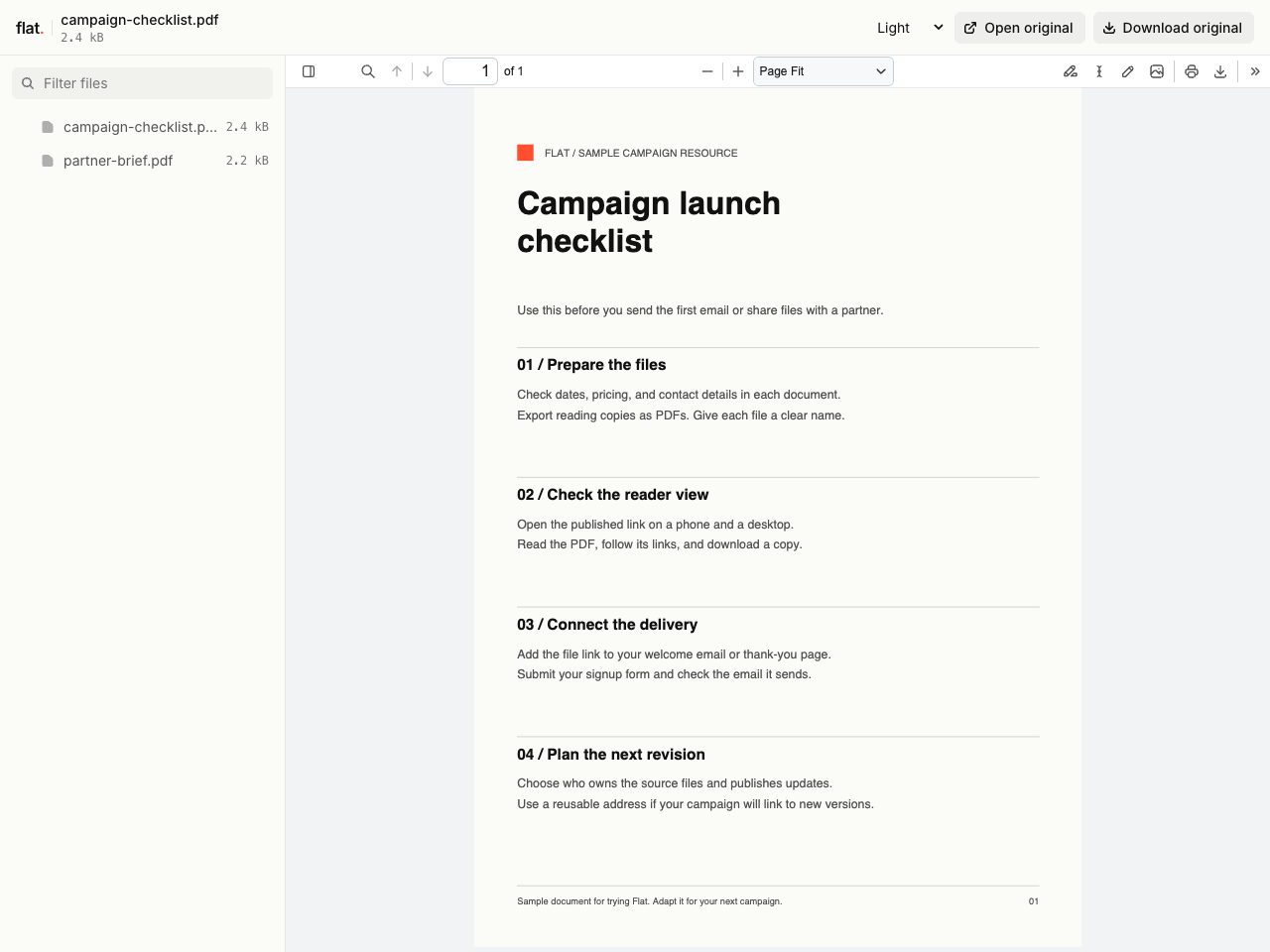
Try the uploader with a sample PDF.
Put the link where you promote the campaign.
Deliver a lead magnet after signup
Publish your checklist or whitepaper, then add its link to your welcome email or thank-you page. Keep collecting email addresses through your existing form and email service.
Flat hosts the file. It does not collect subscribers or send the email. Anyone with a public link can open or forward it.
Send partners the campaign files
Publish the brochure, report, and approved images together. Send one link in your campaign brief so partners can choose the files they need.
Export files from your usual editor and give them clear names before uploading. Check the published preview and downloads before you send the link.
After the campaign goes out
Keep the link when you update the brochure.
Set up a named onflat.page address or connect your own domain before adding the link to an email sequence or printed QR code.
1. Publish to your chosen address
Sign in through the CLI and publish with
--domain. The browser uploader creates a new version link each time.2. Share that address
Use it in your emails, website buttons, or QR codes. Check that it opens the files you want readers to see.
3. Publish revised files to the same domain
Readers use the same address to open the new upload. Earlier version links and downloaded copies keep their original files.
Before you launch
How long will my campaign files stay online?
Signed-in uploads have no default expiry. Signed-out uploads expire after one hour. Sign in before that deadline to keep them online.
Your plan sets upload, storage, and transfer allowances. Check these before sending a campaign to a large audience. See plans and limits.
Can I require an email address before someone reads the file?
Flat has no built-in email gate. Collect addresses through your own signup form and email service, then deliver the Flat link. Readers can forward a public link to people who have not signed up.
Can I password-protect files before a launch?
Yes. Set a visitor password through the CLI or API and share it with your reviewers. The browser uploader publishes public links and has no password setting. Anyone with access can download or forward a copy.
Does Flat turn a brochure into a flipbook?
Flat shows PDFs in a browser viewer with page navigation and zoom. Create and edit your brochure in your usual design tool, then export the PDF to publish. Flat does not add page-turn animations or edit the document.
Can I share images and other campaign assets too?
Yes. Upload files together to share a file list. Readers can preview supported formats or download the originals. Some formats and files that exceed preview limits need an app on the reader's device. Check supported formats.
Have a campaign file ready?
Upload it, check the reader view, and add the link to your campaign.
Free to start. View pricing