Flat / Tiiny Host alternative
Share your next PDF or HTML page with Flat.
Drop in your PDF or finished web page and send the link. Your client can open it without creating an account.
Start free with files up to 5 MiB per upload.
More room for your PDF on Free
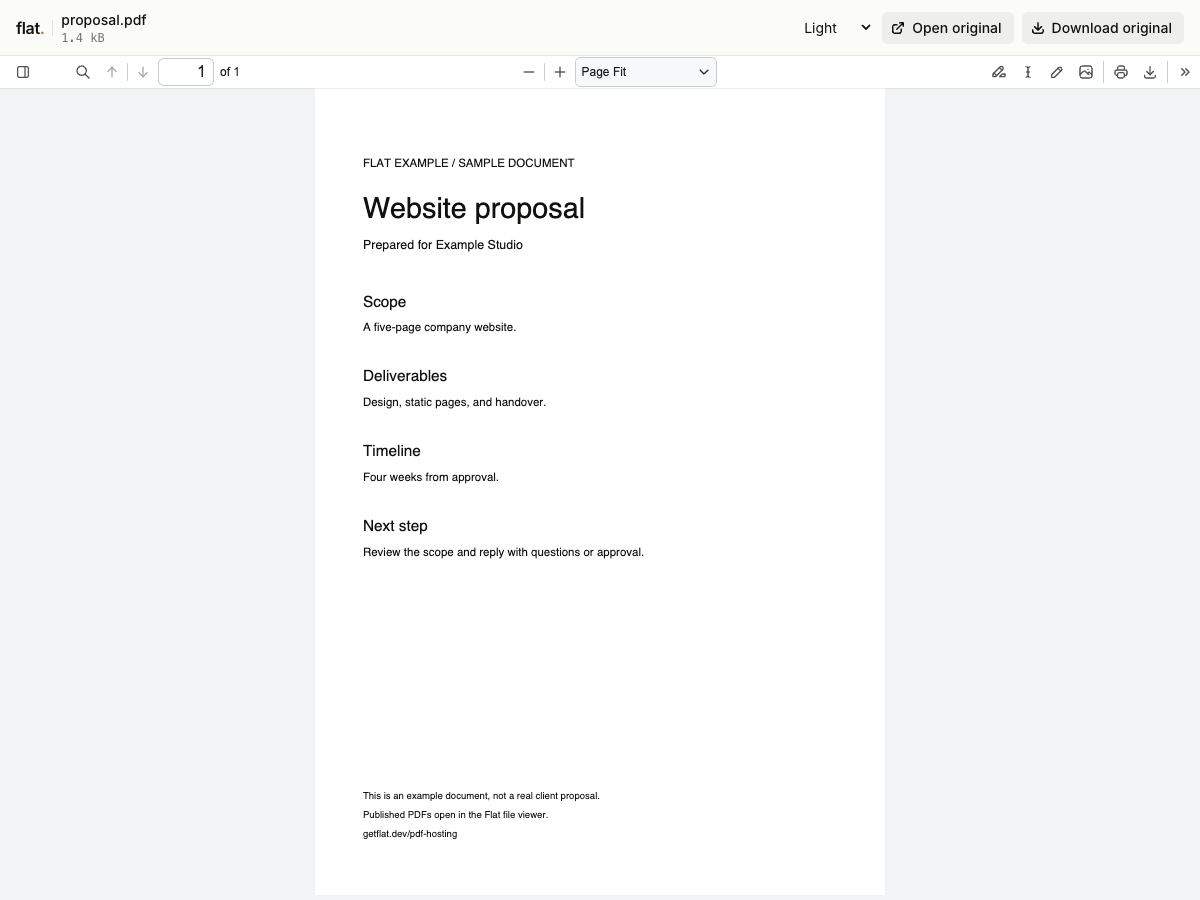
Tiiny's free PDF limit is 0.5 MB. Flat gives you 5 MiB per upload, so you have more room for a proposal or portfolio before you need to compress it.
You also get a separate link for each upload. Send a proposal today, revise it tomorrow, and your client can still open the version you sent. To share future revisions at one address, set up a named link through the CLI.
Flat vs Tiiny Host
Our comparison for HTML and PDF sharing. We checked Tiiny's official docs on ; sources are linked below.
| What you need | Flat | Tiiny Host |
|---|---|---|
| Upload HTML or PDFs | Drop files into the browser. Use the CLI for a website with folders, after extracting any ZIP. | Upload files or a whole website ZIP in the browser. Group documents in a collection.Source |
| Free file limits | 5 MiB per upload, including PDFs. This is the combined size of all files you upload together. | 0.5 MB for PDFs; 3 MB for other projects. One active project, three uploads or updates per day.Source |
| Free storage and traffic | 1 GiB of storage and 5 GiB of monthly transfer, including viewer assets and previews. | 5,000 visits and 5 GB of bandwidth per month. Storage fits within the one-project file limit.Source |
| Keep a free link online | Signed-in uploads have no set expiry, within your plan limits. Without sign-in, uploads expire after one hour. | Log in at least once every three months to keep a free account active. Temporary previews last one hour.Source |
| Keep the same link | Publish updates to a named onflat.page address through the CLI or API. Each upload also gets its own version link. | Update the project and keep its link name, QR code, and custom domain. Renaming the link changes its address.Source |
| Read a PDF | Read, zoom, and download the original in Flat's PDF viewer. Upload several files to share a browsable collection. | Read in the standard PDF viewer. Choose presentation or minimalist modes on paid plans.Source |
| Password protection | Set a visitor password through the CLI or API, including on Free. Browser uploads are public. | Set a password on Solo and above.Source |
| Your own domain | Connect your domain through the CLI or API. You can also choose a free onflat.page address without DNS setup. | Connect five custom domains on Solo, or fifteen on Pro and Pro Max.Source |
| Remove hosting branding | Remove HTML attribution on Pro and Max. The PDF and file viewers keep Flat branding. | Remove the Tiiny Host branding bar with any paid plan.Source |
Upload HTML or PDFs
- Flat
- Drop files into the browser. Use the CLI for a website with folders, after extracting any ZIP.
- Tiiny Host
- Upload files or a whole website ZIP in the browser. Group documents in a collection. Source
Free file limits
- Flat
- 5 MiB per upload, including PDFs. This is the combined size of all files you upload together.
- Tiiny Host
- 0.5 MB for PDFs; 3 MB for other projects. One active project, three uploads or updates per day. Source
Free storage and traffic
- Flat
- 1 GiB of storage and 5 GiB of monthly transfer, including viewer assets and previews.
- Tiiny Host
- 5,000 visits and 5 GB of bandwidth per month. Storage fits within the one-project file limit. Source
Keep a free link online
- Flat
- Signed-in uploads have no set expiry, within your plan limits. Without sign-in, uploads expire after one hour.
- Tiiny Host
- Log in at least once every three months to keep a free account active. Temporary previews last one hour. Source
Keep the same link
- Flat
- Publish updates to a named
onflat.pageaddress through the CLI or API. Each upload also gets its own version link. - Tiiny Host
- Update the project and keep its link name, QR code, and custom domain. Renaming the link changes its address. Source
Read a PDF
- Flat
- Read, zoom, and download the original in Flat's PDF viewer. Upload several files to share a browsable collection.
- Tiiny Host
- Read in the standard PDF viewer. Choose presentation or minimalist modes on paid plans. Source
Password protection
- Flat
- Set a visitor password through the CLI or API, including on Free. Browser uploads are public.
- Tiiny Host
- Set a password on Solo and above. Source
Your own domain
- Flat
- Connect your domain through the CLI or API. You can also choose a free onflat.page address without DNS setup.
- Tiiny Host
- Connect five custom domains on Solo, or fifteen on Pro and Pro Max. Source
Remove hosting branding
- Flat
- Remove HTML attribution on Pro and Max. The PDF and file viewers keep Flat branding.
- Tiiny Host
- Remove the Tiiny Host branding bar with any paid plan. Source
Flat measures storage in MiB and GiB. We've kept Tiiny's MB and GB labels as published.
What does it cost?
Flat pricing
Start with 5 MiB per upload on Free. For larger files or your own domain, Starter is €9 a month. You get 100 MiB per upload and 1 custom domain.
Tiiny Host pricing
On monthly billing, Tiny is US$9 for one project up to 25 MB. Solo is US$18 for five projects up to 75 MB each, with custom domains and password protection.
Tiiny also has annual billing and localized checkout prices. See its pricing docs and current plans.
Flat's monthly transfer allowance covers files and previews. If you use it up, new content requests pause until it resets or you upgrade; your files stay stored. Higher upload limits do not change preview limits.
Try Flat with one file.
Upload a copy of your PDF or HTML page before moving your existing links. Open the result and see if it suits your work. Sign in within one hour to keep the upload online.
Checking your upload limits... · Public · Limits
Drop your HTML files or PDFs here
or choose files from your device.
Select filesSee the instructions for PDFs or HTML pages.
Moving a website with folders?
Extract your website ZIP into a folder. Keep index.html at its root, with images and scripts at the paths your HTML expects.
Use a finished static export. Flat serves your files; it does not build source code or run a backend. The browser uploader puts selected files at the top level, so use the CLI to preserve folders.
With Node.js 20 or newer installed, run:
npx -y @getflat/cli deploy ./siteReplace ./site with your folder path. Open the URL and check the page and images, then run npx -y @getflat/cli login before expiry to keep the upload.
Before you switch
Can I keep my existing link?
If you own the domain, you can connect it to Flat. Publish your files first, check them, then follow the domain setup instructions. A Tiiny-hosted address stays with Tiiny; for that, you'll need to share a new Flat link.
How do I replace a PDF without changing its link?
Choose a named onflat.page address or use your own domain. Publish the revised PDF with the same --domain value in the CLI. The browser uploader creates a new version link each time. See same-link updates.
Can I embed the PDF viewer or remove its branding?
Flat's PDF viewer keeps its branding on every plan and cannot be embedded in an iframe. You can link to it or use the original PDF URL with your own compatible viewer. The HTML branding option applies to web pages, not the file viewer.
Can readers download the PDF?
Yes. They can read it in their browser or download the original. A password limits who can open it, but anyone with access can save a copy. Flat hosts the PDF as you exported it, without turning it into a flipbook or an editable page.