Flat / LaTeX hosting
LaTeX hosting: share your source with a PDF preview.
Publish a TeX file or LaTeX project from your browser or the CLI. Readers can open a generated PDF preview and download the original source files.
Checking your upload limits... · Public · Limits
Drop your TeX files and assets here
or choose them from your device.
Select LaTeX filesWhat readers see at your LaTeX link
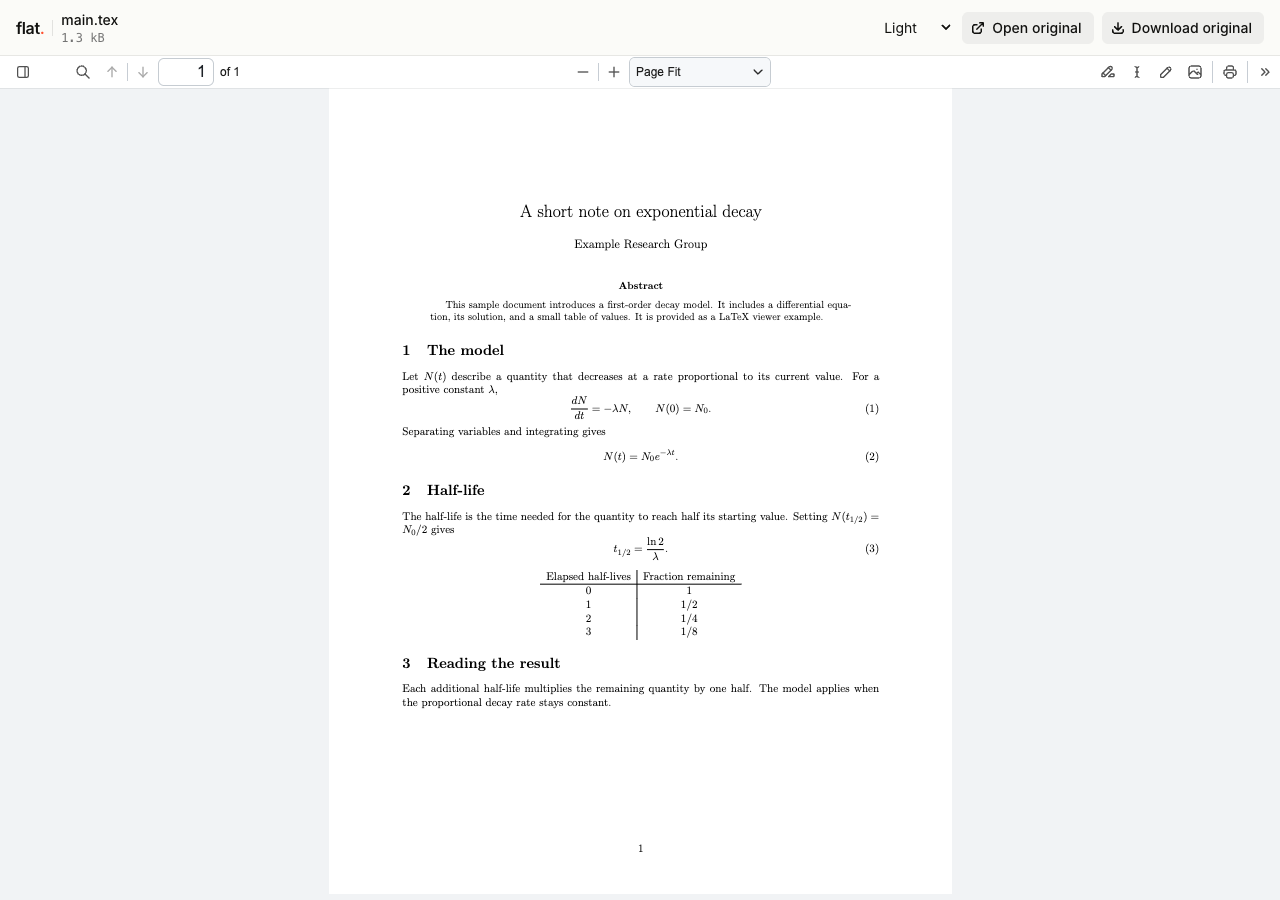
A single self-contained .tex file opens in Flat's viewer. Flat compiles a PDF preview on demand so readers can see the document in their browser.
A project with several files opens in the file explorer. Select a TeX file to request its PDF preview. Keep referenced figures and other project files in the upload so the compiler can find them.
Every uploaded source file remains downloadable. An exact path, such as /main.tex, serves the original TeX source. If you only want to share the finished document, compile it yourself and upload the PDF instead.
How to publish a LaTeX document online
Prepare your LaTeX project
Include the main TeX file and the local files it references. Keep relative paths intact. For a project with several TeX files, use a % !TeX root directive when needed to identify the main document.
The preview compiler does not allow shell escape, remote includes, or external asset fetches. A project that needs those features should be compiled in your own environment and shared as a PDF.
Upload in your browser
Drop a self-contained TeX file into the uploader above. You can also select its supporting files if all paths are at the top level. Enter your email if signed out, then choose "Publish LaTeX".
Each file needs a unique name. The browser uploader does not accept folders or extract ZIPs. Use the CLI for projects with subfolders so references to figures and included files keep working.
Deploy with the CLI
Install Node.js 20 or newer, then publish your project folder:
npx -y @getflat/cli deploy ./paperReplace ./paper with your project folder. For a self-contained document, use ./main.tex instead. The CLI preserves relative file paths and prints the published URL. Extract a ZIP export before publishing its folder.
Open and share the URL
Open the published link, select the TeX document if the explorer appears, and check the generated PDF. Confirm that equations, figures, and references appear as expected.
Signed-out uploads expire after 1 hour by default. Sign in before expiry to keep them online, or sign in before publishing for no default expiry.
What you can publish with LaTeX hosting
Papers and technical notes
Share a readable PDF preview together with the TeX files behind it. Each upload has a separate version link for a specific draft.
Assignments and course handouts
Publish a document that students can read in their browser, with source files they can download and use in their own LaTeX editor.
Document templates
Share a template with its source and a compiled preview. Keep the required local files together so recipients can download the parts they need.
Keep a version, or keep an address.
Share this version
Every upload gets its own link. Publishing revised files creates a new link and leaves the earlier version unchanged. Use the version link when someone needs to review a specific upload.
Update files at one address
Use a named onflat.page address or your own domain. Sign in, then publish with the CLI using --domain. Publish revised files with the same domain to point that address to the new upload.
Named addresses are included on Free. Adding your own domain requires a paid plan. The browser uploader does not set up or repoint these addresses.
LaTeX hosting questions
Is hosting free, and what are the limits?
Yes. Signed-in Free includes 5 MiB per upload, 1 GiB of storage, and 5 GiB of monthly transfer, with no default expiry. The per-upload limit covers all files in that upload. Paid plans raise these limits.
Do readers need a Flat account?
No. Public links open without a Flat account. Anyone with the link can open the uploaded files. Password-protected links also require the visitor password.
Can I password-protect my upload?
Yes. Password protection is available on every plan. Add --password YOUR_PASSWORD to your CLI deploy command. It protects access to the upload and its files, but does not prevent someone with access from saving a copy. The browser uploader creates public uploads.
Can I replace files without changing the link?
A version link always refers to its original upload. For same-address updates, use a named address or your own domain. Publish revised files with the same --domain value in the CLI to point that address to the new upload.
What happens when an upload expires?
Flat stops serving it. An expired upload cannot be recovered. Signed-out uploads expire after 1 hour by default. For browser uploads, use the sign-in link shown after publishing. For CLI uploads, run npx -y @getflat/cli login. Complete sign-in before expiry to keep the upload online. If you chose a shorter expiry in the CLI, that deadline stays in place.
How does Flat choose the main TeX file?
Flat first checks the selected file's % !TeX root directive. It then checks whether that file declares \documentclass, or whether exactly one other TeX file in the project does. If none of those identifies an entry point, it tries the selected file.
What are the LaTeX preview limits?
The complete uploaded project must fit within the 5 MiB conversion input limit. The generated PDF can be up to 20 MiB, and conversion has a 75-second deadline including queue time. Paid hosting plans do not raise these limits. Original source downloads remain available if conversion fails.
Can I hide the TeX source and share only the PDF?
Publish only the compiled PDF if you do not want readers to download your source. In a LaTeX upload, access covers the preview and all uploaded project files. Password protection does not hide source files from authorized readers.
Can I edit or compile interactively in Flat?
Flat generates a reading preview. It does not provide a LaTeX editor, collaborative editing, or an interactive build console. Edit and check your project in your own environment, then publish a new upload.
What if my LaTeX project does not compile?
Check the entry point, included files, and relative paths. Projects that exceed preview limits or need unsupported compilation features can still be shared as source downloads. For a readable result, compile a PDF in your own environment and publish that file.
Share your next LaTeX document.
Publish the source files, check the generated PDF, and send the link.
Publish LaTeXFree to start · View pricing
Want to share only the compiled document? See PDF hosting.