Flat / Press kits
Give journalists the files for their story.
Publish your press release and approved media assets in one collection. Put the link in your pitch email so a journalist can read the announcement and download the images they want to use.
Checking your upload limits... · Public · Limits
Drop your press kit files here
or choose files from your device.
Choose press kit filesThis uploader creates public links. For private files, set a password through the CLI or API.
Let the editor find a usable image.
A journalist can read the release in the browser, choose an image from the file list, and download the original for their story. Include captions and credits in a text file so the editor has the wording that belongs with each photograph.
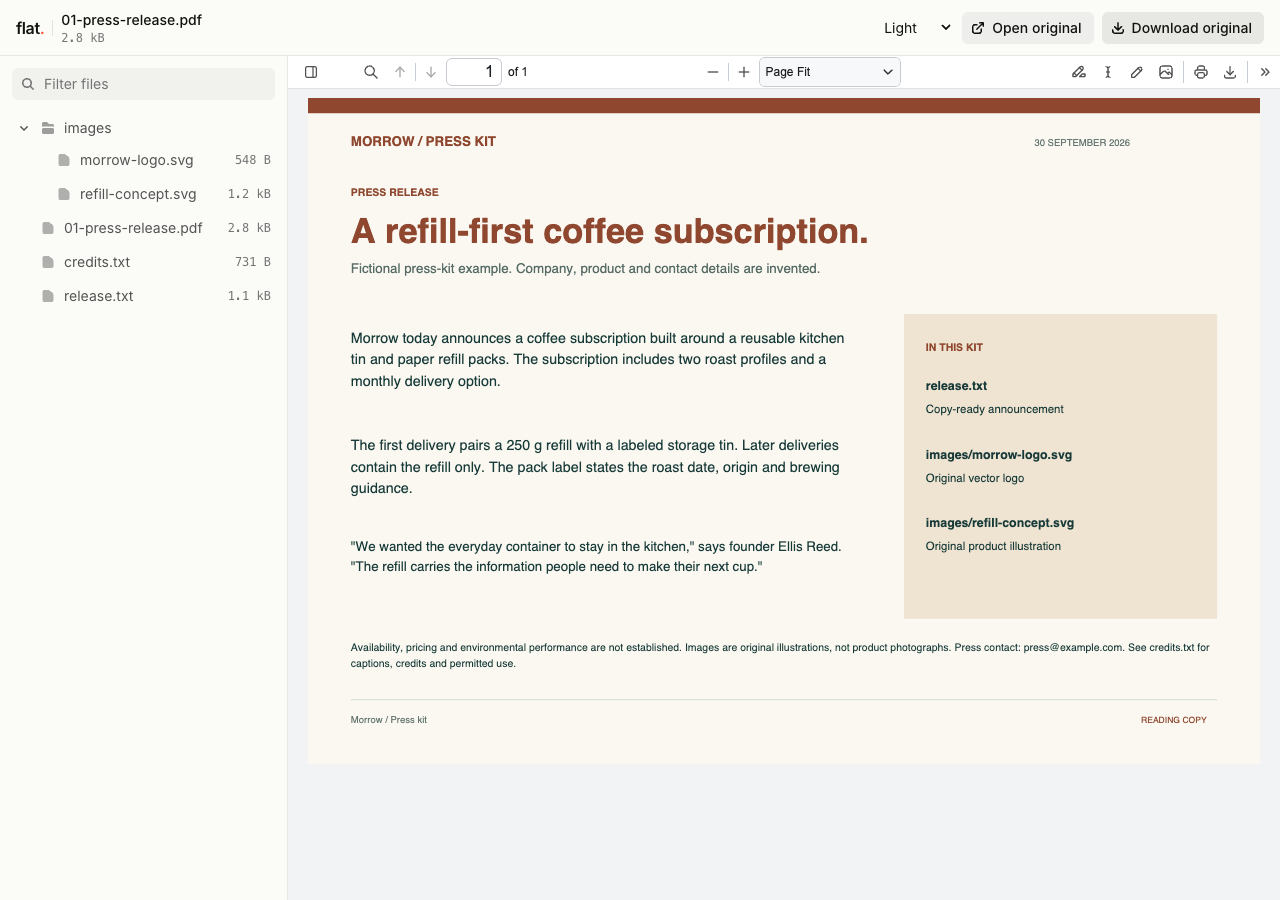
This fictional coffee launch kit includes a PDF release, extended plain-text announcement, vector logo and original refill-pack illustration. Credits identify every supplied image.
- Press release PDF
- Copy-ready release and background
- Press logo
- Original product illustration
- Captions and image credits
- Download the complete sample pack

Extract the sample pack before uploading. To keep nested folders together, publish the extracted folder with the CLI.
Put the facts in a document people can reference.
Write the announcement date and press contact into the release. Add a short company fact sheet if the story needs background beyond the news itself. Keep names and product details consistent across the files. A journalist who comes back to check a fact should be able to find it without searching through the original email conversation.
Supply images with publication instructions.
Name image files by their subject and explain the permitted use in a companion note. Include photo credits and captions that match those filenames. Offer the original resolution an editor needs, with a clear distinction between product images and logos. Share the kit from your press page as well as in pitches when the materials are ready for public use.
Prepare your files and share the link
1. Assemble the publication materials.
Export the release and select approved images. Add a caption sheet with matching filenames and the contact details for press questions.
2. Publish and inspect the kit.
Upload the files together. Open the release and download an image to check that the publication copy has the intended resolution.
3. Add the kit link to your pitch.
Explain the news in your email and link to the supporting files. Tell the journalist where to find the image credits.
Before you publish
Should the release be a PDF or a text file?
A PDF preserves the release layout. You can include a plain-text copy when journalists need to quote passages or reuse contact details. Give both files matching names so the reader knows they contain the same announcement.
Can Flat manage a press embargo?
Flat does not manage embargo agreements or verify that recipients accept release terms. Arrange embargoes through your press process before sharing the material. Use the public press kit for files that are ready for publication.
Who can open the link?
Browser uploads are public. Anyone with the link can open them without a Flat account. For restricted material, publish through the CLI or API with a visitor password set before you share. Recipients who have access can still download or forward copies. Set up password protection.
Can I replace files at the same address?
Yes. Publish through the CLI to a named onflat.page address or your own domain, then use that same domain for later uploads. Browser uploads create a new version link each time. Earlier version links and downloaded copies keep their original files. Set up a reusable address.
How long do uploads stay online?
Signed-in uploads have no default expiry. Signed-out uploads expire after one hour. Sign in before that deadline to keep them online. Your plan sets upload, storage, and transfer allowances. See pricing and limits.
Prepare the assets for your announcement.
Publish the approved release and images, then add the kit link to your press outreach.
Free to start. View pricing