Flat / Brand guidelines
Send the brand guide with the files people need.
Give a partner your finished brand guidelines and approved assets through one link. They can read the usage rules, inspect supported images, and download the files for their design or production work.
Checking your upload limits... · Public · Limits
Drop your brand files here
or choose files from your device.
Choose brand filesThis uploader creates public links. For private files, set a password through the CLI or API.
Help a partner choose the right asset.
A designer can read your brand book and choose an image from the file explorer. Label screen and print assets so they know which original to download. An SVG preview lets them inspect the artwork, while the original file remains available for use in their design app.
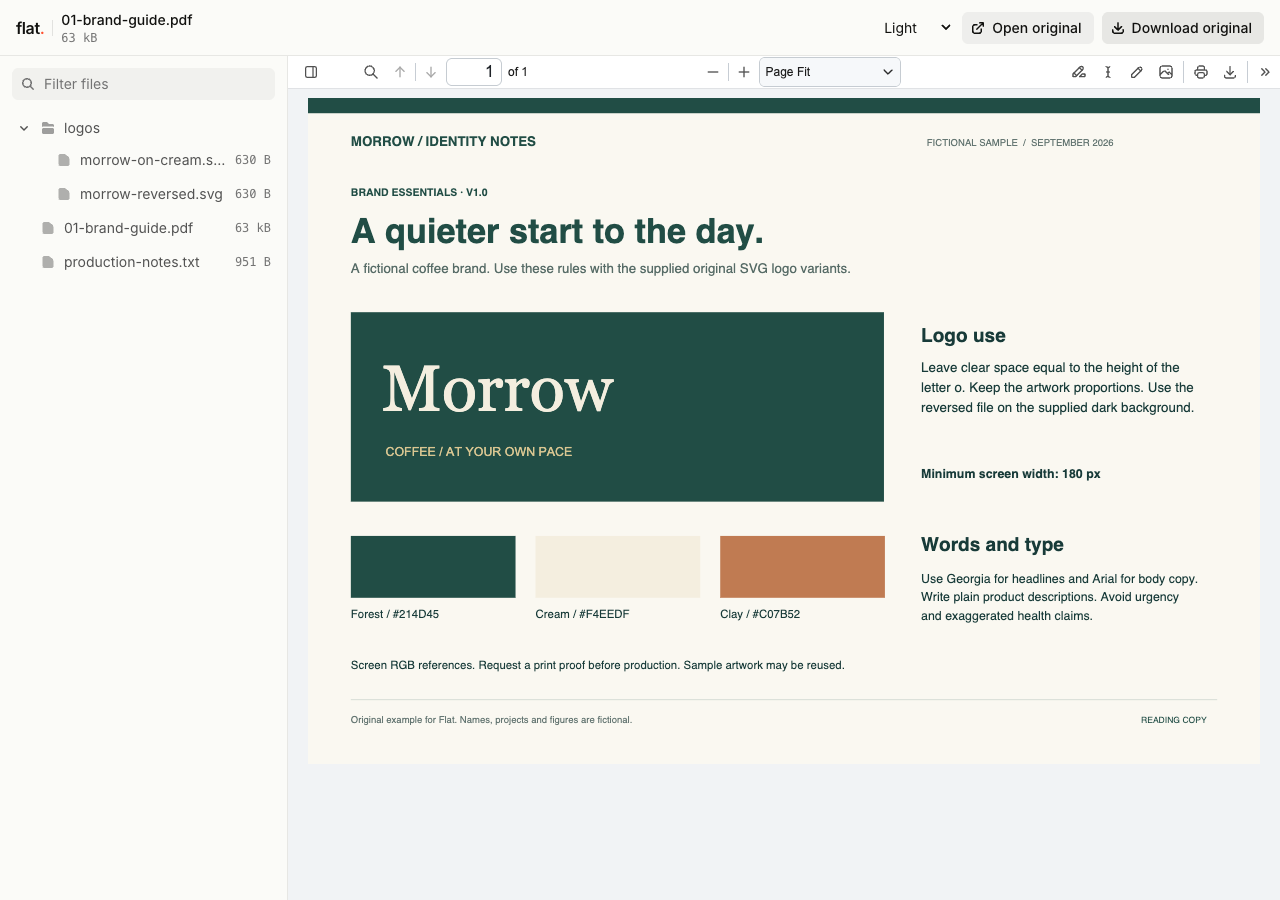
The fictional Morrow identity pack includes clear-space rules, screen color values, type guidance and two matching SVG variants for light and dark backgrounds.
- Brand essentials PDF
- Logo on cream
- Reversed logo
- Production and usage notes
- Download the complete sample pack
Extract the sample pack before uploading. To keep nested folders together, publish the extracted folder with the CLI.
Put usage rules beside the approved artwork.
Include the logo spacing and background rules in your guide, with examples that explain the intended use. State color values as text so partners can copy them into their own tools. If you supply several logo variants, name them by their purpose and explain when to use each one. Keep obsolete explorations out of the delivery folder.
Prepare the pack for the production task.
A web designer and a print supplier may need different files. Include the formats relevant to the job and put any production instructions in a short note. Share the link in the partner brief or supplier email. Tell the recipient which guide section applies to their work, especially when a campaign has rules beyond the main brand book.
Prepare your files and share the link
1. Collect the approved identity files.
Export the brand book as a PDF and gather the artwork for this handoff. Use filenames that distinguish logo variants and intended backgrounds.
2. Check previews and originals.
Publish the collection, read the guide, and inspect image previews. Download a logo to confirm that the recipient gets the source you intended.
3. Link it from the partner brief.
Send the collection URL with the production instructions. Point the partner to the relevant logo variant and ask for questions through your project thread.
Before you publish
Can a browser preview confirm print colors?
Use the preview to inspect the artwork. For print decisions, give the supplier the original files and written color specifications, then follow your normal proofing process. A browser image is not a print proof.
Can I include fonts and editable design files?
You can include files that you have permission to distribute. Unsupported formats remain available as original downloads. Explain the software or license the recipient needs, and supply a PDF reading copy of any instructions they should see before using those files.
Who can open the link?
Browser uploads are public. Anyone with the link can open them without a Flat account. For restricted material, publish through the CLI or API with a visitor password set before you share. Recipients who have access can still download or forward copies. Set up password protection.
Can I replace files at the same address?
Yes. Publish through the CLI to a named onflat.page address or your own domain, then use that same domain for later uploads. Browser uploads create a new version link each time. Earlier version links and downloaded copies keep their original files. Set up a reusable address.
How long do uploads stay online?
Signed-in uploads have no default expiry. Signed-out uploads expire after one hour. Sign in before that deadline to keep them online. Your plan sets upload, storage, and transfer allowances. See pricing and limits.
Prepare your next brand handoff.
Publish the guide with the approved assets and add the link to your partner's brief.
Free to start. View pricing