Flat / Clubs and associations
Give members a link to the club's next program.
Share the program or handbook your committee prepared. Publish the files with Flat and send the link in your member email or group chat. Members can check the details in their browser and save a copy.
Checking your upload limits... · Public · Limits
Drop your club documents here
or choose files from your device.
Choose club documentsThis uploader creates public links. For private files, set a password through the CLI or API.
Keep the program beside the practical information.
Members can choose the activity schedule or handbook from the same file list. A PDF opens for reading in the browser. Give each document a clear title and season so someone can identify the right file after downloading it.
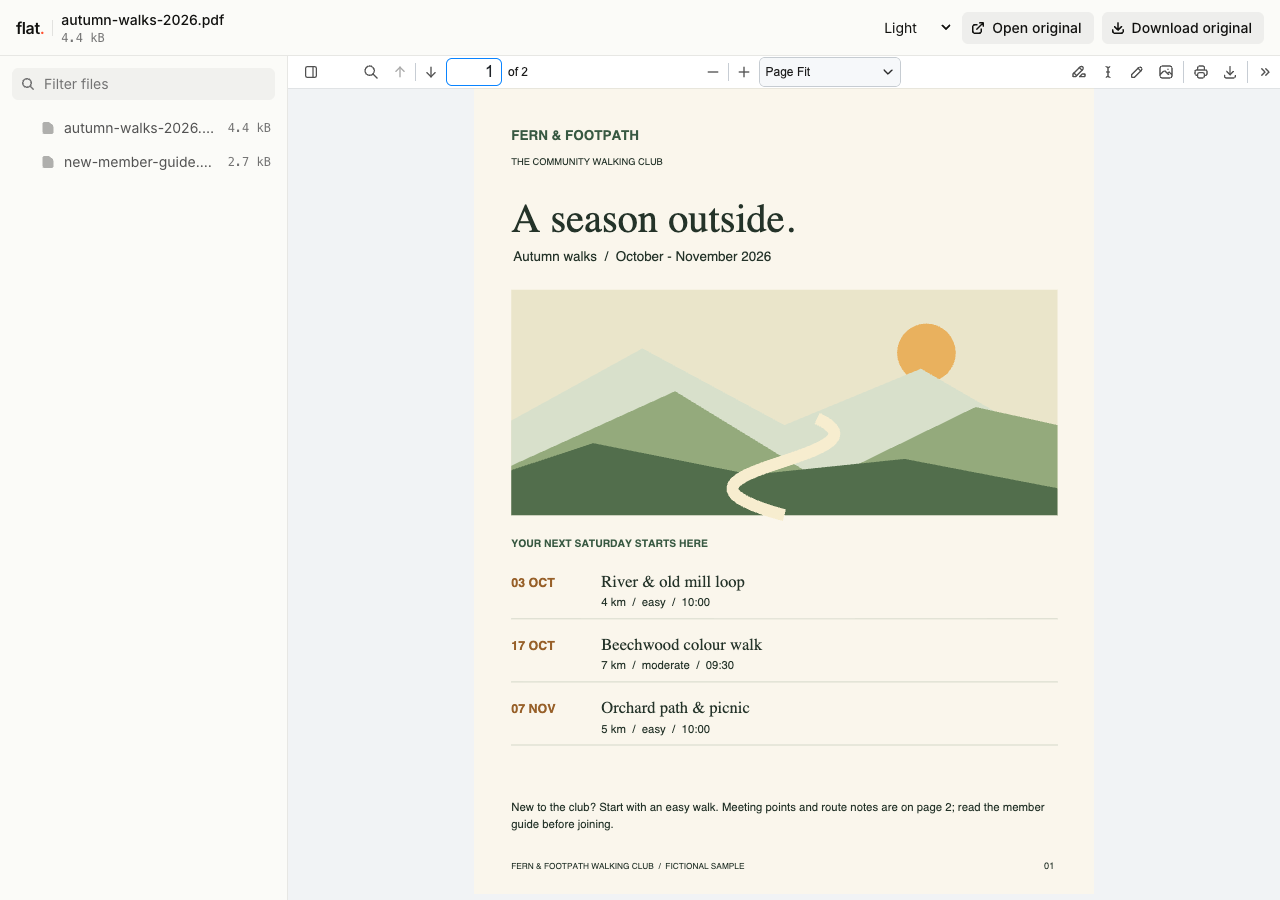
The fictional Fern & Footpath club pack contains three autumn activities, route grades, meeting instructions, weather notes, and a practical guide for first-time members.
Extract the sample pack before uploading. To keep nested folders together, publish the extracted folder with the CLI.
Help new members prepare for an activity.
Explain where to meet and what participants should bring. Include your public club contact for questions and describe how to register through your usual process. Put general guidance in the handbook so the activity program can focus on dates and locations. Prepare a public edition without member addresses or private contact lists.
Distribute the papers for a meeting.
Publish an agenda with the supporting documents members need to read beforehand. Use descriptive filenames that match the agenda items, such as the annual report or proposed rules. For documents intended only for members, use your agreed private distribution setup. Decide that access before uploading; the browser uploader publishes public files.
Prepare your files and share the link
1. Prepare the approved documents.
Confirm the activity dates or meeting agenda with the committee. Export reading copies as PDFs and remove internal notes from the publication files.
2. Group files for the occasion.
Upload the public program and handbook together, or prepare a collection for a particular meeting. Keep unrelated seasons out of that collection.
3. Check what a member will open.
Open the link on your phone and find the next activity. Check that the meeting place is clear before sharing the link in your club message.
Before you publish
Can members sign up for activities or pay dues in Flat?
Link to your registration or payment service from the program. Flat hosts the documents but does not manage memberships, collect dues, or record activity registrations. Include contact instructions if your club handles signups by email.
Can the committee edit minutes together in Flat?
Draft and review the minutes in your existing document app. Publish the approved copy when it is ready to distribute. Members can read or download it, but Flat does not provide shared editing, approval workflows, or voting.
Who can open the link?
Browser uploads are public. Anyone with the link can open them without a Flat account. For restricted material, publish through the CLI or API with a visitor password set before you share. Recipients who have access can still download or forward copies. Set up password protection.
Can I replace files at the same address?
Yes. Publish through the CLI to a named onflat.page address or your own domain, then use that same domain for later uploads. Browser uploads create a new version link each time. Earlier version links and downloaded copies keep their original files. Set up a reusable address.
How long do uploads stay online?
Signed-in uploads have no default expiry. Signed-out uploads expire after one hour. Sign in before that deadline to keep them online. Your plan sets upload, storage, and transfer allowances. See pricing and limits.
Publish the next member pack.
Upload the prepared program or handbook and share its link with your club.
Free to start. View pricing