Flat / Ad designers
Let clients see the ad in motion.
Share a finished banner concept at its intended size, or send a motion export for review. Flat gives your ad files a link so clients can inspect the creative before campaign delivery.
Checking your upload limits... · Public · Limits
Drop your ad preview files here
or choose files from your device.
Choose ad preview filesThis uploader creates public links. For private files, set a password through the CLI or API.
Review the message across the animation.
Your client can watch a supported video export or open the HTML animation you built. Ask them to check the opening message and the final frame, including how long the offer remains visible.
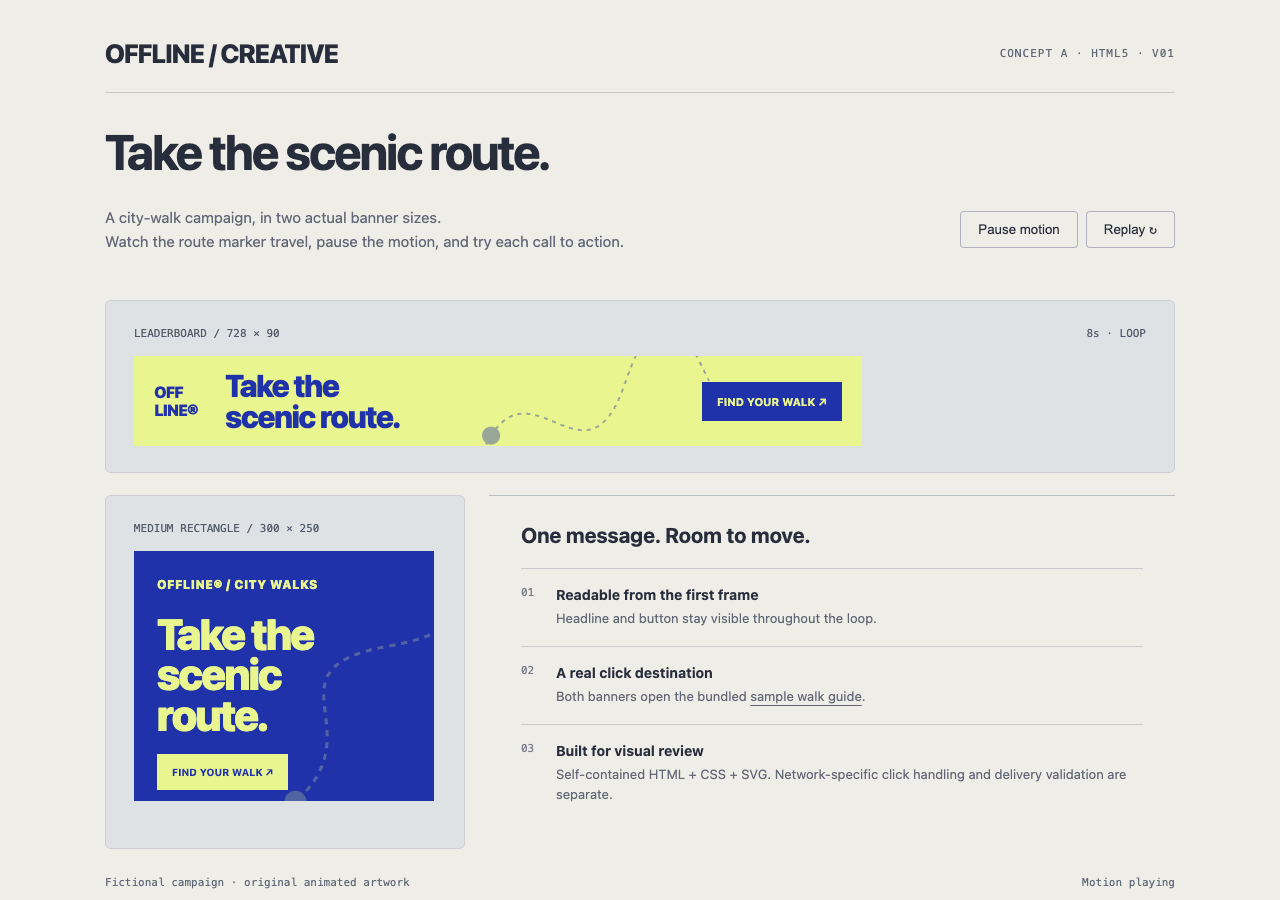
Watch, pause, and replay original HTML5 banners at their actual dimensions. Both buttons open the included walk guide. Ad-network delivery validation remains separate.
- Open working example
- Banner creative review page
- Animated leaderboard, 728 × 90
- Animated rectangle, 300 × 250
- Campaign destination page
- Download the complete sample pack
Extract the sample pack before uploading. To keep nested folders together, publish the extracted folder with the CLI.
Present each size with enough context.
Name the files with their dimensions and creative variant so reviewers can identify the one they mean. For HTML banners, you can build a static review page that labels each concept at its intended dimensions. Publish that page with the banner assets. Flat hosts the review page you provide; it does not create a comparison layout.
Keep creative approval separate from delivery checks.
Use the browser preview to discuss pacing and whether viewers can read the offer. Before trafficking, validate the final package against the destination network's requirements. File-weight limits and click handling need their own checks. A client approving the visual preview does not establish that an ad platform will accept the package.
Prepare your files and share the link
1. Prepare a review export
Export the HTML banner with its supporting files, or a video of the animation. Include the dimensions in the review notes.
2. Publish the creative
Upload a video above. For HTML exports with folders, extract the ZIP and use the CLI to preserve relative asset paths.
3. Watch the published result
Check playback and the final frame. Send the link with the exact variant names you want the client to approve.
Before you publish
Does a working preview mean my ad meets network requirements?
No. Flat hosts a browser preview. Use your ad platform's validation process to check the delivery package, including supported APIs and click tracking.
Can a banner depend on an ad-server SDK?
Some exports expect an SDK or runtime that a standalone page does not provide. Prepare a browser-compatible review export and test it. Validate the actual delivery version in the target ad platform.
Can I share an MP4 or GIF instead?
Yes. Supported images and browser-compatible video can preview in Flat. Video playback depends on the browser's codec support; Flat does not transcode your file. Readers can download the original.
Who can open the link?
Browser uploads are public. Anyone with the link can open them without a Flat account. For restricted material, publish through the CLI or API with a visitor password set before you share. Recipients who have access can still download or forward copies. Set up password protection.
Can I replace files at the same address?
Yes. Publish through the CLI to a named onflat.page address or your own domain, then use that same domain for later uploads. Browser uploads create a new version link each time. Earlier version links and downloaded copies keep their original files. Set up a reusable address.
How long do uploads stay online?
Signed-in uploads have no default expiry. Signed-out uploads expire after one hour. Sign in before that deadline to keep them online. Your plan sets upload, storage, and transfer allowances. See pricing and limits.
Send the creative for its next review.
Publish a finished animation or browser-ready banner and ask for feedback on the specific variant.
Free to start. View pricing