Flat / Travel professionals
Send travelers a guide they can refer to.
Share a tour itinerary or destination guide before departure. Travelers can read the finished document in their browser and save a copy for the journey. Keep the daily schedule and practical details together so they can check them while planning.
Checking your upload limits... · Public · Limits
Drop your travel guide here
or choose files from your device.
Choose travel guideThis uploader creates public links. For private files, set a password through the CLI or API.
Give travelers the details before they leave.
A PDF opens for reading in the browser. If you include a separate packing list or route map, travelers can choose it from the file list. Use filenames that distinguish the itinerary from optional excursions or background reading.
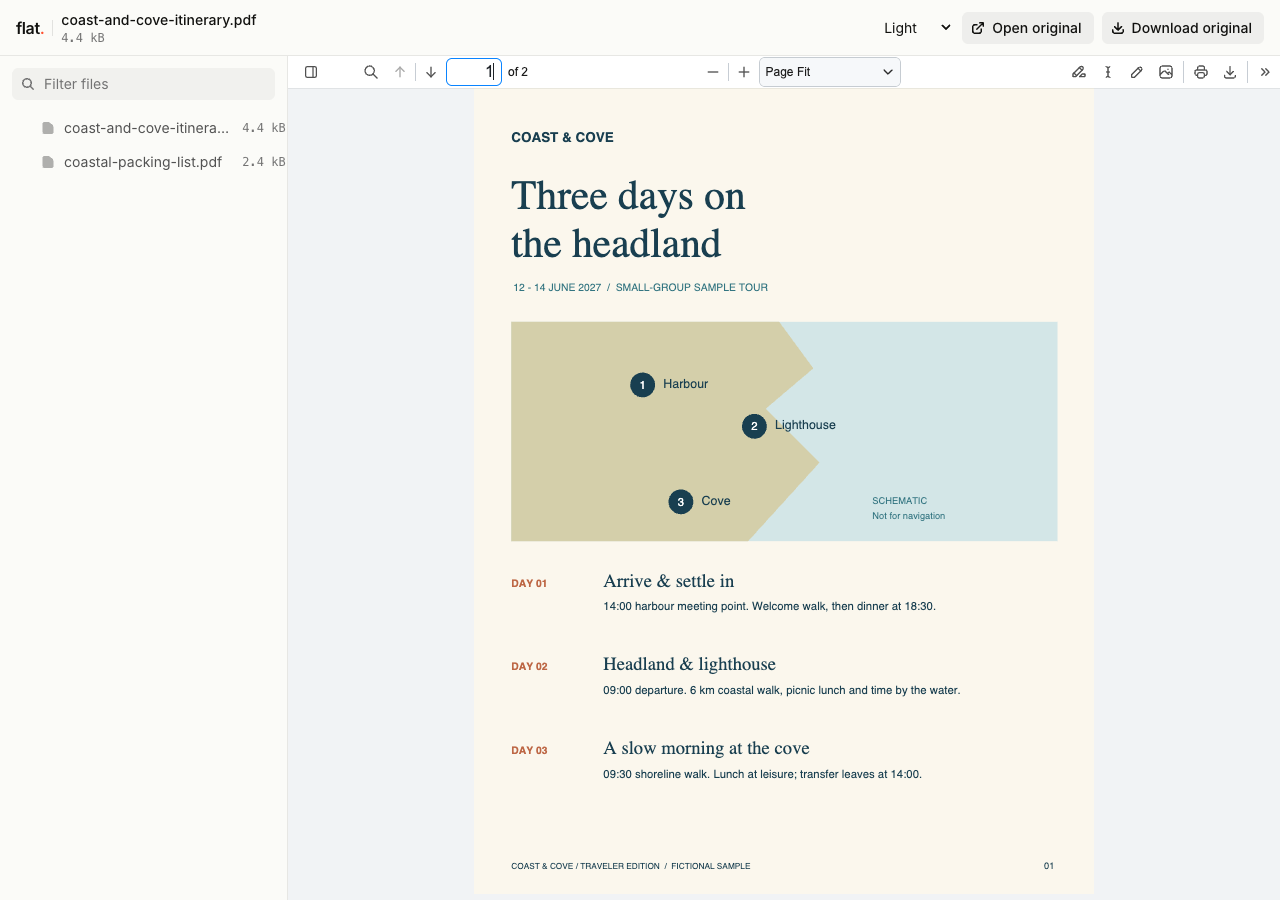
This fictional three-day departure pack gives travelers a schedule, walking distances, practical notes, and a printable checklist.
Extract the sample pack before uploading. To keep nested folders together, publish the extracted folder with the CLI.
Make each day's plan easy to find.
Start each day with its date and departure location. Put transfer times beside the relevant activity, and explain whether a meal or excursion is included. Export the approved itinerary as a PDF after checking those details. Add the issue date inside the document so travelers can recognize which copy they saved.
Use brochures to support an inquiry.
Send a destination brochure when someone asks about a route or tour. Include the departure season and how to contact your team about availability. Publish a brochure suitable for public sharing through the browser uploader. Send passenger records, booking references, and personalized travel documents through your established private delivery process.
Prepare your files and share the link
1. Prepare the traveler copy.
Export the itinerary with readable map labels and the correct local times. Remove internal supplier notes before you publish the public guide.
2. Group the trip materials.
Upload the itinerary and any companion PDFs together. Give the packing list a clear filename so travelers can open it without searching the itinerary.
3. Read it as a traveler.
Open the link on your phone and check the departure details. Download a copy, then include the link in your pre-departure email.
Before you publish
Can travelers read the itinerary without an internet connection?
They can download the PDF before departure and open that saved copy in a PDF reader. Ask them to save route maps too if they need those offline. Opening the Flat link itself requires an internet connection.
Can someone book a tour from my brochure?
Include a link to your booking service or instructions for contacting your team. Flat hosts the brochure. Your booking system handles availability, reservations, and payment, so keep those details there when they can change during the day.
Who can open the link?
Browser uploads are public. Anyone with the link can open them without a Flat account. For restricted material, publish through the CLI or API with a visitor password set before you share. Recipients who have access can still download or forward copies. Set up password protection.
Can I replace files at the same address?
Yes. Publish through the CLI to a named onflat.page address or your own domain, then use that same domain for later uploads. Browser uploads create a new version link each time. Earlier version links and downloaded copies keep their original files. Set up a reusable address.
How long do uploads stay online?
Signed-in uploads have no default expiry. Signed-out uploads expire after one hour. Sign in before that deadline to keep them online. Your plan sets upload, storage, and transfer allowances. See pricing and limits.
Share your next departure guide.
Publish the finished itinerary and include the link in your traveler email.
Free to start. View pricing