Flat / Students and coding learners
Let someone try the project you built.
Share your first web page or a browser game with a link. Upload the finished files to Flat so your teacher or classmate can open the project without setting up your development tools.
Checking your upload limits... · Public · Limits
Drop your project files here
or choose files from your device.
Choose project filesThis uploader creates public links. For private files, set a password through the CLI or API.
Show what happens when someone clicks.
Your reader can use the controls you wrote in browser JavaScript. They can try the quiz or change a calculator input, then tell you what happened on their device.
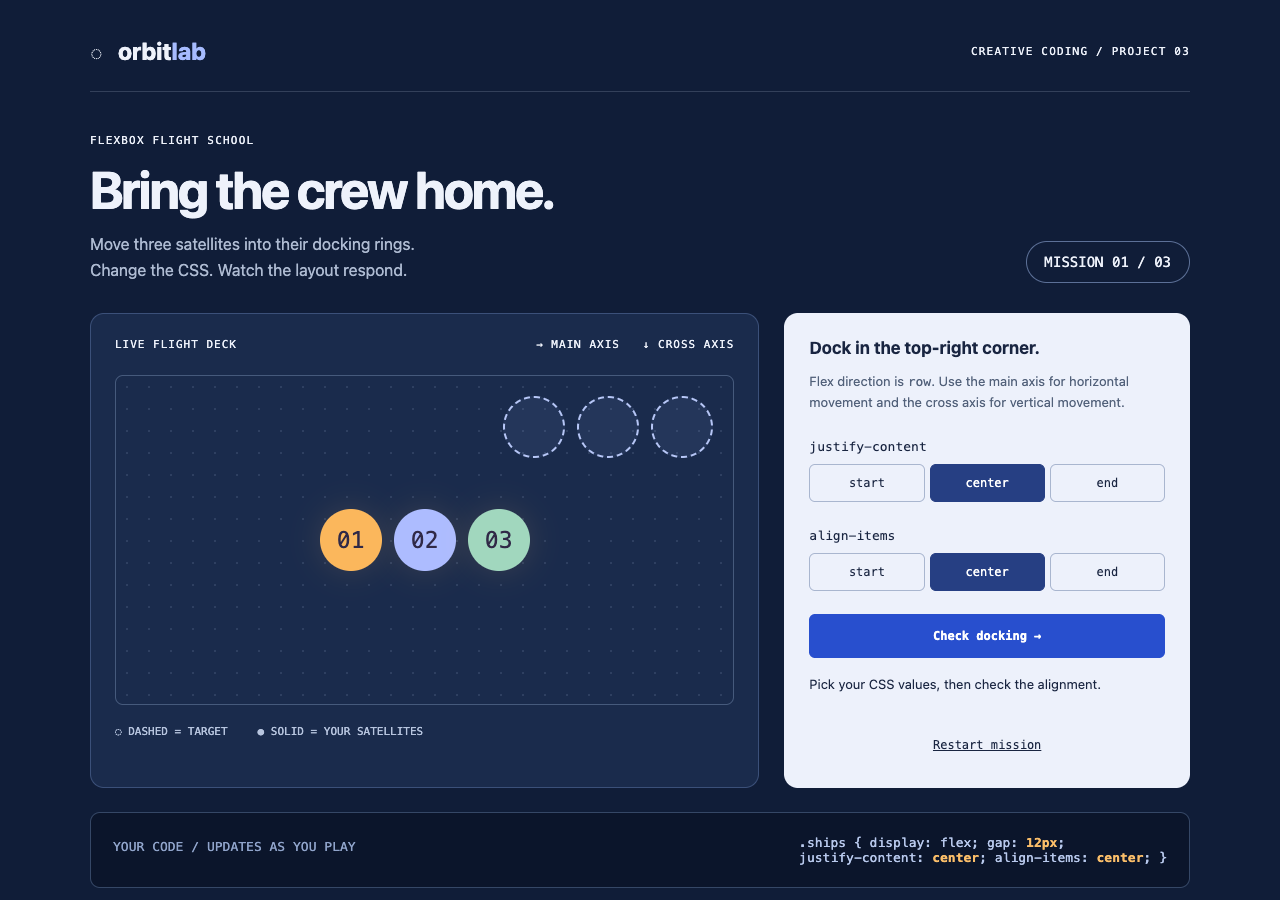
Use CSS alignment controls to dock three satellites. Check each answer, complete three missions, and restart the browser game.
Turn a local exercise into a class submission.
Add the published link to your assignment or class discussion when your teacher accepts website links. Put a short explanation on the page so they know what you built and what to try. If the assignment also requires source files, submit those through the school's required system along with the demo.
Learn what your page needs to load.
A single HTML file with its CSS and JavaScript included is a useful first upload. When you add separate images or scripts, keep their names and relative paths consistent. A file on your laptop is not automatically available to a visitor. Check the published page for missing assets after each change to the project structure.
Prepare your files and share the link
1. Prepare your project
Save the main page as
index.html. Include instructions for playing your game or trying the feature you want to show.2. Upload the finished files
Use the uploader for files at the same level. For folders, extract any ZIP and publish through the CLI.
3. Try it as a visitor
Open the link on another device if you can. Check the buttons and images before adding the URL to your submission.
Before you publish
Can I publish a Python or Node.js assignment?
You can share source files, but Flat does not run Python or Node.js servers. For a working demo, the project needs a static web output with interactions that run in the browser.
Do I need a build tool for my first page?
No. A finished HTML file can be enough. If your project uses a framework that needs a build, run that build on your computer and publish its output.
Will Flat grade my project?
No. Flat gives you a way to publish and share the files. Your teacher still reviews the work through your course's usual process.
Who can open the link?
Browser uploads are public. Anyone with the link can open them without a Flat account. For restricted material, publish through the CLI or API with a visitor password set before you share. Recipients who have access can still download or forward copies. Set up password protection.
Can I replace files at the same address?
Yes. Publish through the CLI to a named onflat.page address or your own domain, then use that same domain for later uploads. Browser uploads create a new version link each time. Earlier version links and downloaded copies keep their original files. Set up a reusable address.
How long do uploads stay online?
Signed-in uploads have no default expiry. Signed-out uploads expire after one hour. Sign in before that deadline to keep them online. Your plan sets upload, storage, and transfer allowances. See pricing and limits.
Share your next finished exercise.
Start with the HTML file you have and send the published link to someone who can try it.
Free to start. View pricing