Flat / Small browser tools
Give your small browser tool a URL.
You have built a calculator or a utility for a recurring task. Publish its finished HTML and JavaScript with Flat so colleagues can use it without copying your files or setting up a project.
Checking your upload limits... · Public · Limits
Drop your browser tool here
or choose files from your device.
Choose browser toolThis uploader creates public links. For private files, set a password through the CLI or API.
Let someone use the inputs you designed.
Visitors open your page and run its JavaScript in their browser. They can enter a value or paste sample text, then see the output your tool produces with its bundled logic.
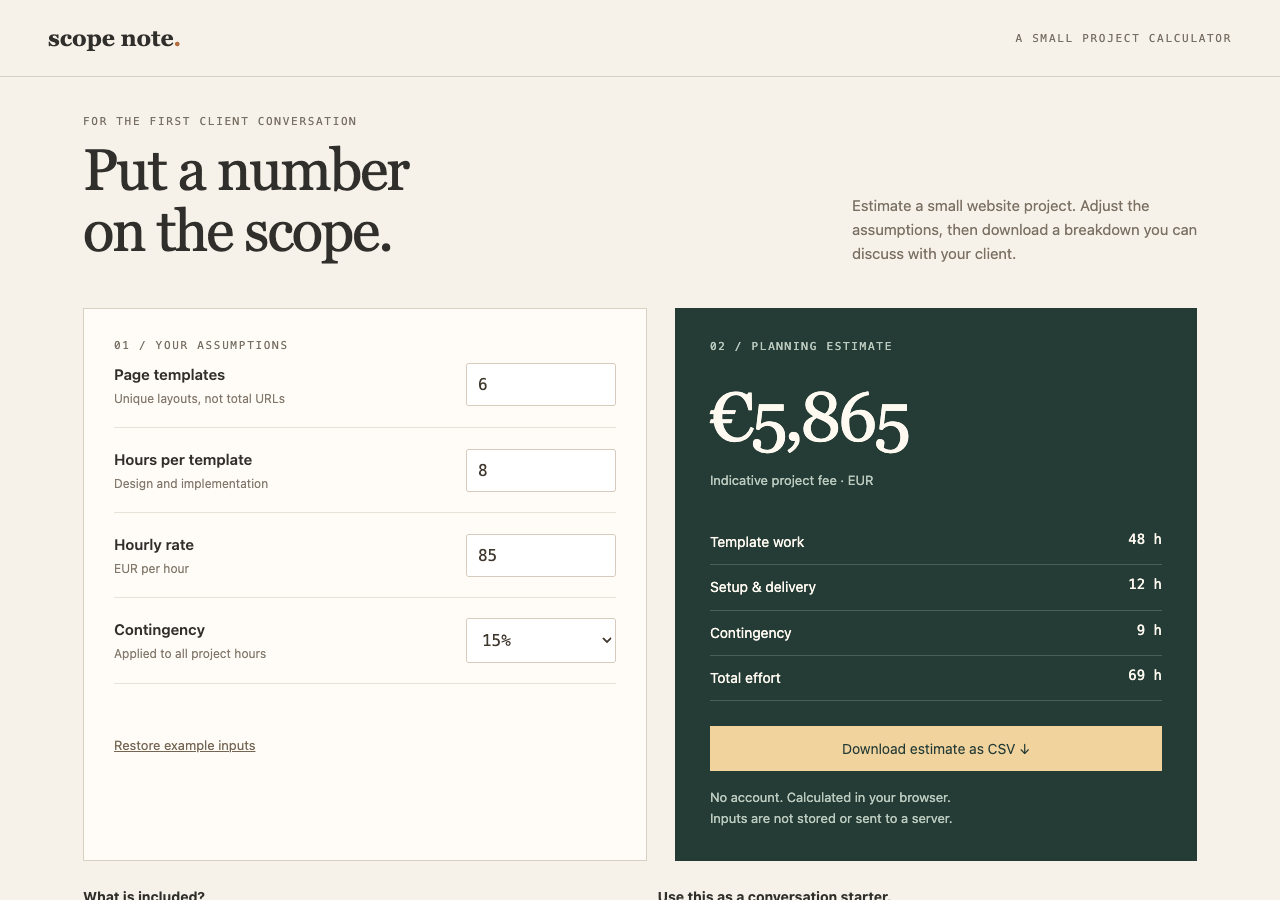
Change the website project inputs to recalculate effort and cost, then download your estimate as CSV. The self-contained HTML runs the calculation in your browser without storing or sending your inputs.
Share the calculation with its assumptions.
A project estimator is easier to discuss when colleagues can change the inputs themselves. Put units and assumptions next to the relevant fields. Include a worked example so someone opening the page knows what a sensible result looks like. Your published tool can keep that explanation beside the calculation it describes.
Check where the tool does its work.
A self-contained utility can run with browser JavaScript and bundled data. If it calls an API, that service must support the browser request independently of Flat. Do not put secret credentials in published scripts. Describe where inputs go based on your actual code, including any external libraries or services it loads.
Prepare your files and share the link
1. Finish the browser version
Build the tool if needed. Add a short example input and explain the output units on the page.
2. Publish the files
Upload a standalone
index.htmlabove. Use the CLI for a build with subfolders, and extract ZIP exports before publishing.3. Try representative inputs
Open the published URL. Check a normal input and an invalid one, then send the link with a brief description of the task it handles.
Before you publish
Can my calculator run without a backend?
Yes, if its calculations use JavaScript in the browser and data included in the files or supplied by the visitor. Flat serves the files; your code determines the result.
Does Flat save what people enter?
Flat does not add input storage to your tool. Browser storage or requests to another service depend on code you include. Verify that behavior before describing the tool as local-only or private.
Can I host a utility that needs a Node.js server?
Flat does not run server processes. Keep that backend on a separate service or prepare a version whose required work runs in the browser.
Who can open the link?
Browser uploads are public. Anyone with the link can open them without a Flat account. For restricted material, publish through the CLI or API with a visitor password set before you share. Recipients who have access can still download or forward copies. Set up password protection.
Can I replace files at the same address?
Yes. Publish through the CLI to a named onflat.page address or your own domain, then use that same domain for later uploads. Browser uploads create a new version link each time. Earlier version links and downloaded copies keep their original files. Set up a reusable address.
How long do uploads stay online?
Signed-in uploads have no default expiry. Signed-out uploads expire after one hour. Sign in before that deadline to keep them online. Your plan sets upload, storage, and transfer allowances. See pricing and limits.
Share the utility you already use.
Publish the finished browser files and give a colleague a link with an example to try.
Free to start. View pricing