Flat / Recruiters
Send the candidate's documents before the interview.
Give a hiring manager a link to the CV and relevant work samples. For sensitive candidate information, set a visitor password through the CLI or API before upload. The browser uploader publishes public files.
Checking your upload limits... · Public · Limits
Drop your sample recruiting documents here
or choose files from your device.
Choose sample recruiting documentsThis uploader creates public links. For private files, set a password through the CLI or API.
Help the interviewer prepare specific questions.
The hiring manager can read a CV in the browser and open supporting files from the same collection. Include a short role brief so interviewers know which experience to discuss. They can download a document if they need a copy for their existing hiring process.
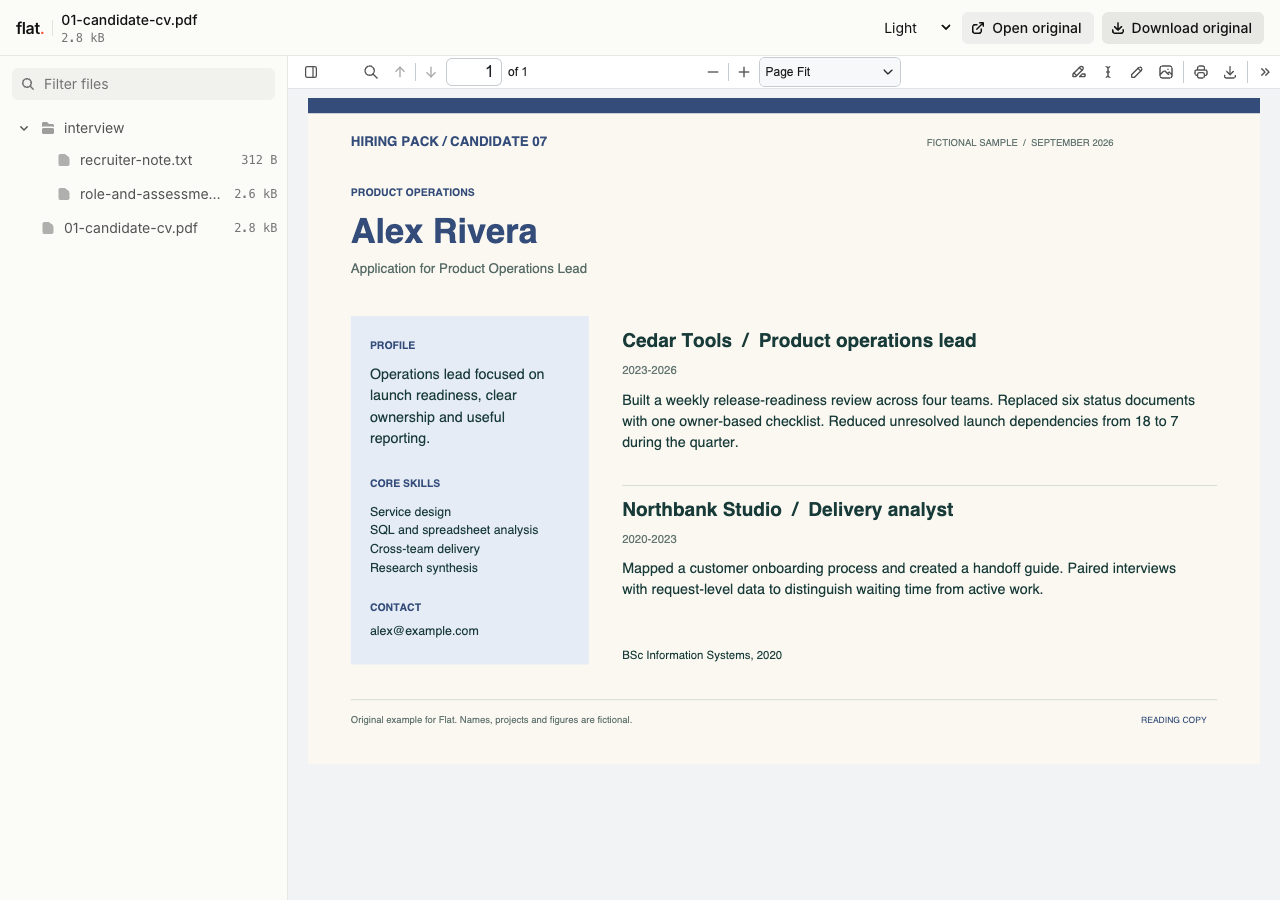
Alex Rivera's fictional hiring pack gives interviewers relevant work history and questions about ownership, evidence and tradeoffs. No actual candidate information is included.
- Fictional candidate CV
- Role brief and assessment rubric
- Recruiter's reading note
- Download the complete sample pack
Extract the sample pack before uploading. To keep nested folders together, publish the extracted folder with the CLI.
Prepare a pack for the role under discussion.
Choose the candidate materials relevant to this interview. A writing sample may help an editor assess a candidate; a project summary may help an engineering manager understand their contribution. Label each file by its purpose. Keep your interview questions in a separate brief so the manager can distinguish your assessment from the candidate's own words.
Put the documents beside the interview details.
Send the pack link in the hiring manager's interview briefing or the candidate's record in your recruiting system. Identify the role and say which work sample deserves attention. Keep scheduling and the hiring decision in your existing process. Flat gives recipients a way to read the supplied documents, while you collect feedback through the channel your hiring team uses.
Prepare your files and share the link
1. Select the candidate's materials.
Confirm which documents the candidate has agreed to share with this employer. Export a readable CV and include the work sample relevant to the role.
2. Protect the upload before publishing.
Set the visitor password in your CLI or API publication request before uploading sensitive files. Use the browser uploader only for public sample material.
3. Send the interview briefing.
Check the published documents, then send the link and password to the intended hiring manager. Include the interview focus in your message.
Before you publish
Should I put the whole shortlist in one collection?
A collection gives its recipients access to its included files. Prepare a separate pack for each candidate or review group when the intended audience differs. Keep each briefing specific to the interview it supports.
Can interviewers complete an assessment form in Flat?
Use your recruiting system or a separate form for assessment responses. You can include a rubric as a document for interviewers to read or download. Flat does not collect completed assessments or record hiring decisions.
Who can open the link?
Browser uploads are public. Anyone with the link can open them without a Flat account. For restricted material, publish through the CLI or API with a visitor password set before you share. Recipients who have access can still download or forward copies. Set up password protection.
Can I replace files at the same address?
Yes. Publish through the CLI to a named onflat.page address or your own domain, then use that same domain for later uploads. Browser uploads create a new version link each time. Earlier version links and downloaded copies keep their original files. Set up a reusable address.
How long do uploads stay online?
Signed-in uploads have no default expiry. Signed-out uploads expire after one hour. Sign in before that deadline to keep them online. Your plan sets upload, storage, and transfer allowances. See pricing and limits.
Prepare the manager's reading pack.
Choose the relevant documents and publish sensitive candidate files through the CLI or API with a password set before upload.
Free to start. View pricing