Flat / Photography and art
Send your selected work to a client or curator.
Choose the work for your submission and publish it with Flat. Share a composed portfolio PDF or individual image files. The recipient can review the selection from one link and download the files you included.
Checking your upload limits... · Public · Limits
Drop your selected work here
or choose files from your device.
Choose selected workThis uploader creates public links. For private files, set a password through the CLI or API.
Give viewers enough detail to inspect the work.
Supported images open with zoom and fullscreen controls. Several files appear in a browsable collection so a curator can select an image by name. For a deliberate sequence with captions, publish a portfolio PDF that keeps your chosen page order.
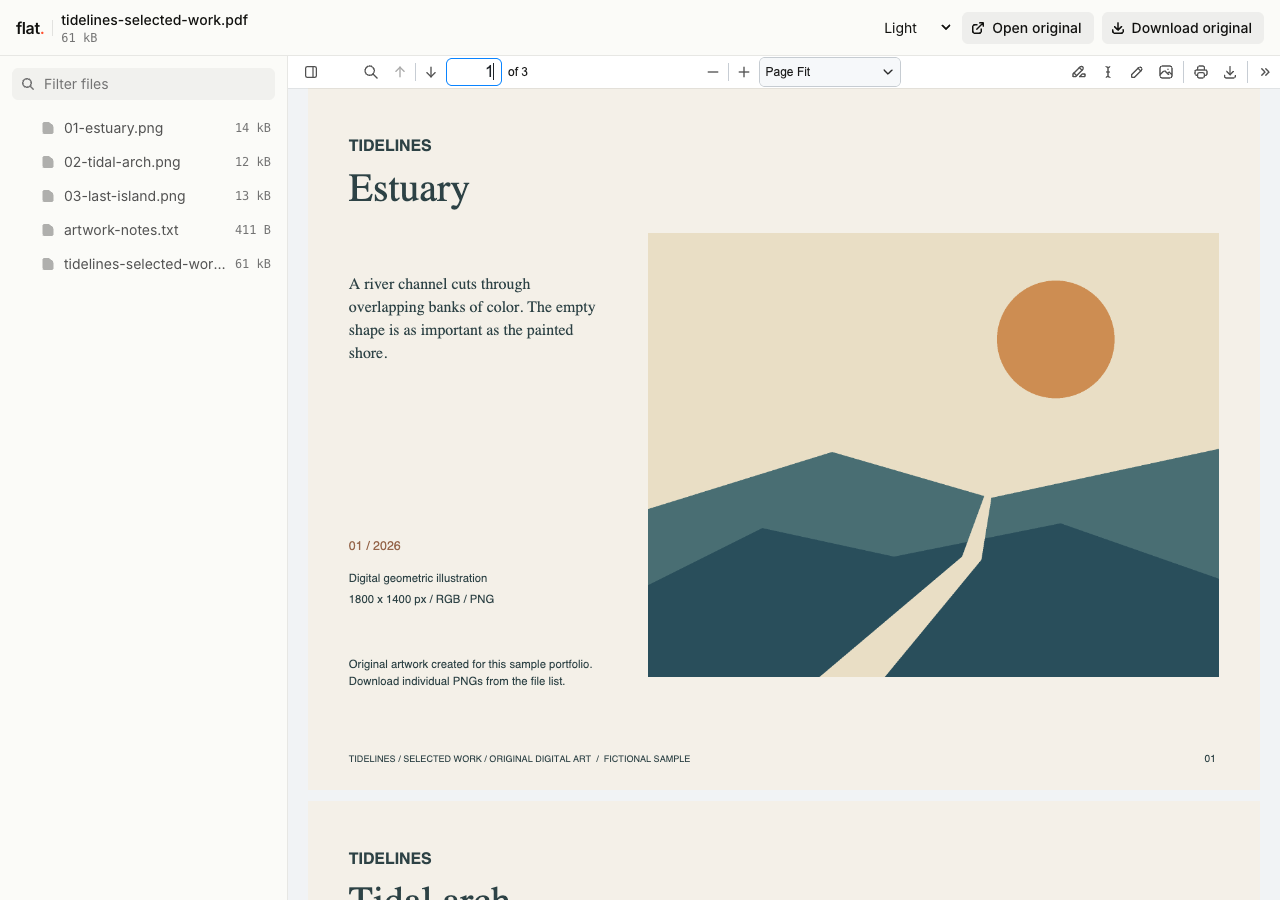
Browse the composed Tidelines portfolio, then open each original 1800 by 1400 pixel artwork. The collection includes titles, medium, dimensions, and artwork notes.
- Download the selected-work portfolio
- Download Estuary
- Download Tidal arch
- Download Last island
- Download the artwork notes
- Download the complete sample pack



Extract the sample pack before uploading. To keep nested folders together, publish the extracted folder with the CLI.
Prepare a portfolio for the recipient.
Select work relevant to the commission or exhibition and add the context the recipient needs. An exhibition catalog can include the medium and dimensions beside each piece. A photography portfolio might group images by project. Prepare the sequence in your layout app before exporting a PDF, especially when the relationship between images matters.
Choose which image files to deliver.
Upload web-sized images for a first review or larger originals for an agreed handoff. Name files so clients can refer to a specific image in their feedback. Include usage terms in a companion document when needed. Recipients can download the uploaded originals, so use watermarked copies if those are the files you want to distribute.
Prepare your files and share the link
1. Export your selection.
Prepare a portfolio PDF or a set of supported image files. Check captions and filenames against the works in the selection.
2. Publish the delivery files.
Upload the selected images together. Include a short text note for credits or usage instructions if the recipient needs it with the files.
3. Inspect the published images.
Open the link and zoom into a detailed image. Check the downloaded file before sending the collection to your client or curator.
Before you publish
Can clients mark favorites or leave comments on an image?
Flat provides viewing and downloads, not a proofing workflow with favorites or annotations. Ask clients to send the filenames of their choices through email or your existing review tool. Clear filenames help you match their notes to the images.
Can I show an image while blocking the original download?
No. The uploaded original remains available to readers with access. Prepare lower-resolution or watermarked review copies before publishing if you do not want to distribute the full-resolution files. Flat does not add watermarks for you.
Who can open the link?
Browser uploads are public. Anyone with the link can open them without a Flat account. For restricted material, publish through the CLI or API with a visitor password set before you share. Recipients who have access can still download or forward copies. Set up password protection.
Can I replace files at the same address?
Yes. Publish through the CLI to a named onflat.page address or your own domain, then use that same domain for later uploads. Browser uploads create a new version link each time. Earlier version links and downloaded copies keep their original files. Set up a reusable address.
How long do uploads stay online?
Signed-in uploads have no default expiry. Signed-out uploads expire after one hour. Sign in before that deadline to keep them online. Your plan sets upload, storage, and transfer allowances. See pricing and limits.
Share the work you selected.
Upload your portfolio or image files and send the link with your introduction.
Free to start. View pricing