Flat / Job seekers
Give employers a link to the work behind your CV.
Share a finished resume or a small collection of work samples with a prospective employer. Add the link to your application so the reader can open the material that relates to the role.
Checking your upload limits... · Public · Limits
Drop your CV and work samples here
or choose files from your device.
Choose CV and work samplesThis uploader creates public links. For private files, set a password through the CLI or API.
Help a hiring manager understand your contribution.
A recruiter can read your CV in the browser, then choose a work sample from the file list. For a project with several contributors, add a short explanation of your role. The manager can use that context to ask about decisions you made during the work.
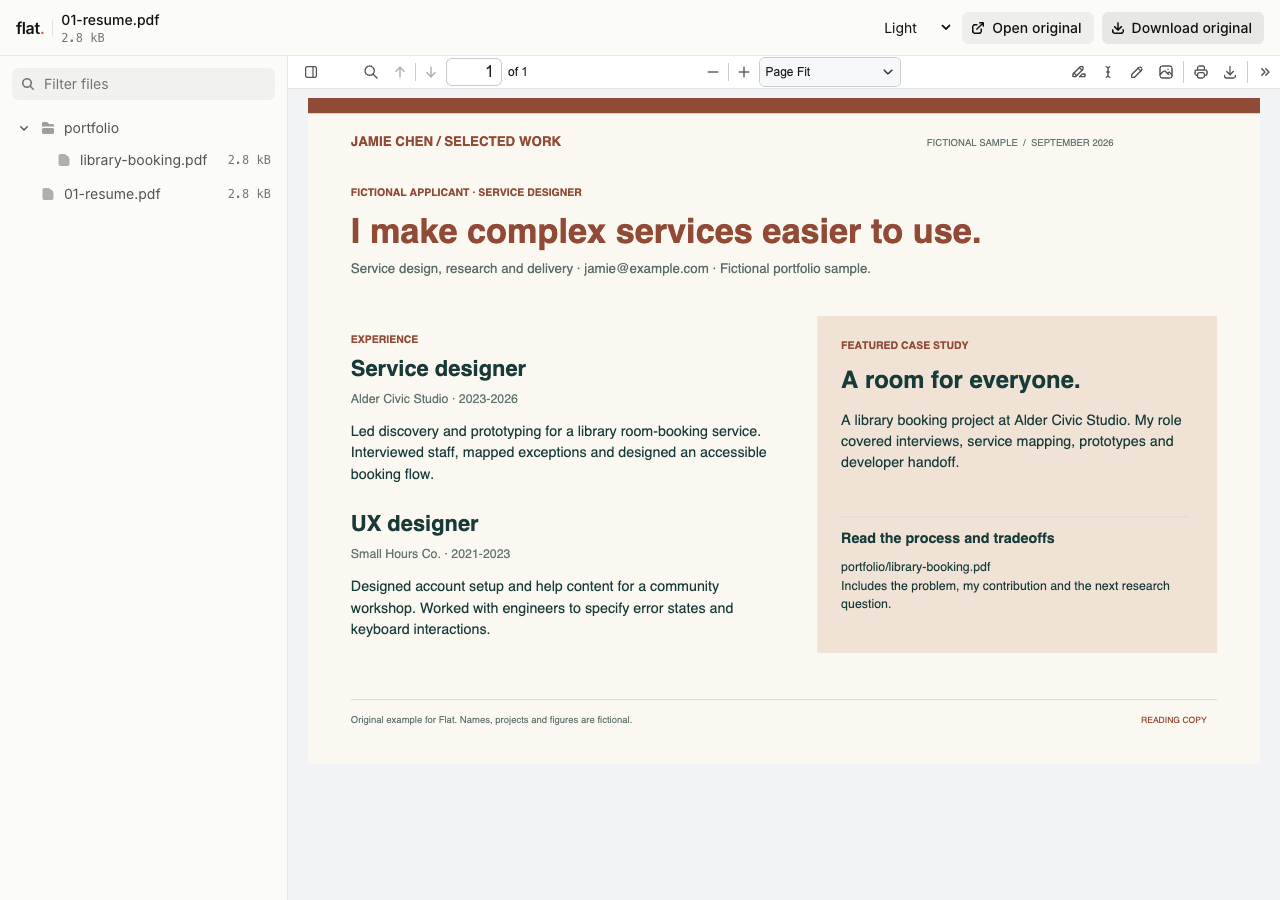
This fictional applicant pairs a finished resume with a library-booking case study covering the problem, design decisions, handoff details and the next research question.
Extract the sample pack before uploading. To keep nested folders together, publish the extracted folder with the CLI.
Choose samples for this application.
Select work that answers a question in the job description. A research summary can show how you explain findings; a design case study can explain why you chose a layout. Introduce each sample with the task and your contribution. Share work you have permission to publish, and prepare a redacted copy when a project contains client details.
Use the link where the employer expects it.
Paste the URL into the portfolio or website field on an application, or include it in a message to the recruiter. Tell them which file relates to the role. After an interview, you can send a relevant sample alongside your follow-up. If the employer asks for a CV attachment, attach the original file as requested.
Prepare your files and share the link
1. Export the application copy.
Create a CV PDF and select the work samples for this role. Use clear filenames so the recruiter can identify your resume.
2. Publish your chosen files.
Upload the CV alone or include the samples in a collection. Check that the text is readable and that any source-file downloads open.
3. Add context to your application.
Paste the link into the requested field. In your covering message, explain which project demonstrates experience relevant to the advertised role.
Before you publish
Can I publish an HTML resume page?
Yes. Upload a finished static website with a root index.html and its assets. That page opens at the main link. You can include a PDF CV and link to it from the page for employers who need a downloadable copy.
Does a Flat link replace an application portal upload?
Follow the employer's instructions. A link works for portfolio fields and supporting messages, but a portal may require a PDF or Word attachment. Flat does not submit applications or verify compatibility with applicant tracking systems.
Who can open the link?
Browser uploads are public. Anyone with the link can open them without a Flat account. For restricted material, publish through the CLI or API with a visitor password set before you share. Recipients who have access can still download or forward copies. Set up password protection.
Can I replace files at the same address?
Yes. Publish through the CLI to a named onflat.page address or your own domain, then use that same domain for later uploads. Browser uploads create a new version link each time. Earlier version links and downloaded copies keep their original files. Set up a reusable address.
How long do uploads stay online?
Signed-in uploads have no default expiry. Signed-out uploads expire after one hour. Sign in before that deadline to keep them online. Your plan sets upload, storage, and transfer allowances. See pricing and limits.
Prepare the work you want to discuss.
Publish your selected files and add the link to your next application or interview follow-up.
Free to start. View pricing