Flat / Hotels and holiday rentals
Give guests a guide to their stay.
Publish a welcome booklet with the information guests need around the property. Include appliance instructions and local recommendations in a document they can open on their phone. Send the link before arrival or place it in your welcome materials.
Checking your upload limits... · Public · Limits
Drop your guest guide here
or choose files from your device.
Choose guest guideThis uploader creates public links. For private files, set a password through the CLI or API.
Help guests find an answer in the booklet.
Guests can read your PDF in their browser or download it for later. A short contents page helps them find a specific appliance or service. If you publish separate language editions, use filenames that make each language clear in the file list.
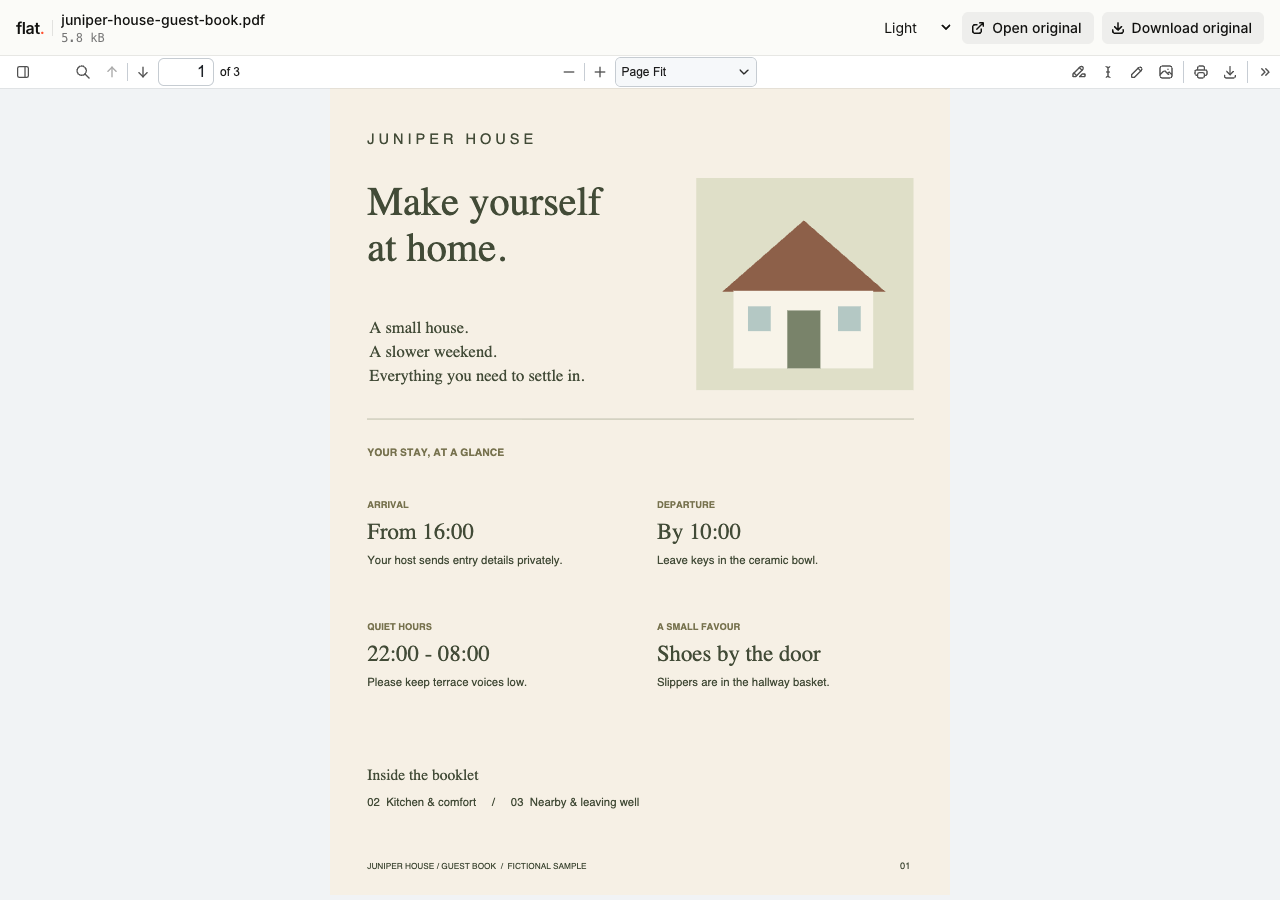
The fictional Juniper House guide answers practical questions about a stay. Its three pages cover arrival, appliances, nearby walks, and departure.
Explain the property with useful details.
Photograph an unfamiliar appliance's controls and explain the settings guests should use. Add practical information about waste collection and checkout arrangements. Prepare the booklet in your usual document editor, then export a PDF. Use text large enough to read on a phone without having to zoom into every paragraph.
Keep your public guide suitable for any reader.
A public welcome guide can cover facilities and nearby places to visit. Leave out door codes, guest names, and private contact details. Browser uploads are public. If the guide needs restricted access, configure password protection through the CLI before uploading it. Use your existing guest messaging process for individual arrival instructions.
Prepare your files and share the link
1. Prepare the guest edition.
Review the booklet for private information. Check opening hours and directions, then export the version you want guests to read.
2. Publish the guide and language editions.
Upload the public PDF with any translated copies. Keep a separate service menu clearly named so guests can find it in the file list.
3. Check it at the property.
Read the published guide on your phone while following an appliance instruction. Send the link in your welcome message after checking the details.
Before you publish
Can I put a QR code in the room?
Yes. Choose a reusable address before printing, then create the QR code with an external QR generator or your design app. Flat hosts the guide the code opens. Scan a printed proof before ordering room cards.
Can guests request room service or book an activity?
Include your contact instructions or a link to the service you use for requests. Flat publishes the menu or activity guide. It does not collect orders, manage reservations, or confirm a guest's booking.
Who can open the link?
Browser uploads are public. Anyone with the link can open them without a Flat account. For restricted material, publish through the CLI or API with a visitor password set before you share. Recipients who have access can still download or forward copies. Set up password protection.
Can I replace files at the same address?
Yes. Publish through the CLI to a named onflat.page address or your own domain, then use that same domain for later uploads. Browser uploads create a new version link each time. Earlier version links and downloaded copies keep their original files. Set up a reusable address.
How long do uploads stay online?
Signed-in uploads have no default expiry. Signed-out uploads expire after one hour. Sign in before that deadline to keep them online. Your plan sets upload, storage, and transfer allowances. See pricing and limits.
Publish your guest booklet.
Start with the public guide you want guests to receive before their stay.
Free to start. View pricing