Flat / Fashion and retail
Send buyers a lookbook they can open.
Publish your seasonal collection as a finished PDF. Send the link before a buyer meeting or include it in a stockist inquiry. You can share a separate line sheet alongside the lookbook so buyers have the details needed to follow up.
Checking your upload limits... · Public · Limits
Drop your lookbook here
or choose files from your device.
Choose lookbookThis uploader creates public links. For private files, set a password through the CLI or API.
Let buyers move from a look to its details.
Buyers read your lookbook in the PDF viewer and can download the file for reference. With a line sheet in the same collection, they can check a style's code and available sizes. Match the style names across both documents.
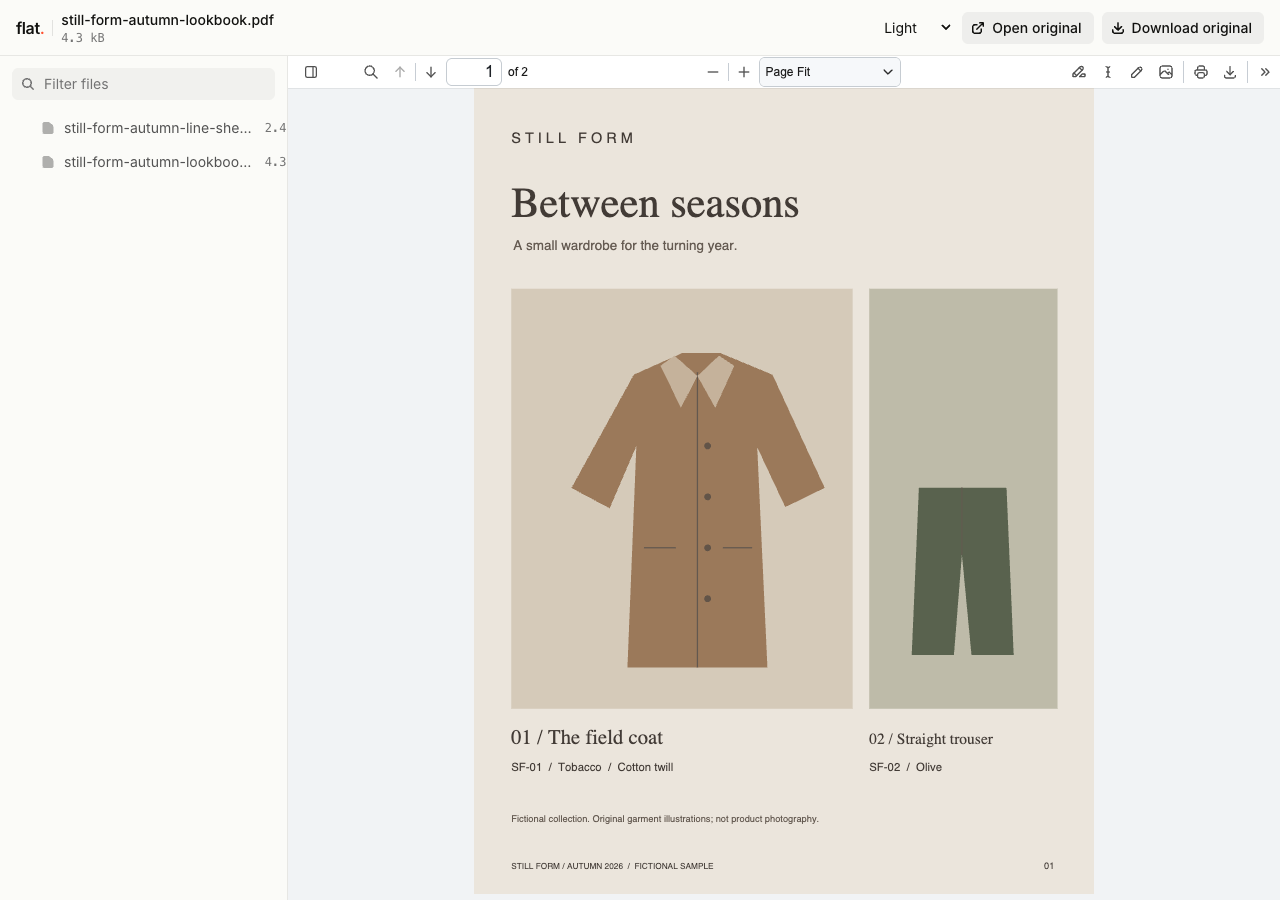
This fictional collection pairs a field coat and straight trousers with style codes, colors, sizes, and sample buyer details in a separate PDF.
Extract the sample pack before uploading. To keep nested folders together, publish the extracted folder with the CLI.
Keep the collection's visual order.
Export the page sequence from your layout app so the collection appears in the order you chose. Check images at the intended reading size and give captions enough contrast to remain readable. A PDF preserves your composed pages. Flat displays them in its PDF viewer without adding a flipbook effect or redesigning the layout.
Give stockists a usable line sheet.
Put style codes and color names beside the corresponding pieces. Include the ordering contact and delivery window in the file you share. Use a dated wholesale PDF when the layout matters, or add a spreadsheet for buyers who need the data. Any spreadsheet editing happens in the buyer's own app after download.
Prepare your files and share the link
1. Prepare the season's files.
Export the lookbook and line sheet from your source documents. Check that the season name and style codes agree across both files.
2. Publish the buyer edition.
Upload the files intended for this audience. Keep internal margin calculations out of the published line sheet and name the files by collection.
3. Check a buyer's reading path.
Open the link on your phone. Find a pictured style in the line sheet and check its details before sending the collection to stockists.
Before you publish
Can I make products in the lookbook shoppable?
Add links to your existing product pages when preparing the document, then check them in the published PDF. Customers complete purchases in your store. Flat does not add product hotspots, a shopping cart, or checkout.
Can I use the preview to approve garment colors?
Use it to discuss the collection and identify color names. Display settings affect how photographs look on different screens. Agree on physical samples or your established color approval process for production decisions.
Who can open the link?
Browser uploads are public. Anyone with the link can open them without a Flat account. For restricted material, publish through the CLI or API with a visitor password set before you share. Recipients who have access can still download or forward copies. Set up password protection.
Can I replace files at the same address?
Yes. Publish through the CLI to a named onflat.page address or your own domain, then use that same domain for later uploads. Browser uploads create a new version link each time. Earlier version links and downloaded copies keep their original files. Set up a reusable address.
How long do uploads stay online?
Signed-in uploads have no default expiry. Signed-out uploads expire after one hour. Sign in before that deadline to keep them online. Your plan sets upload, storage, and transfer allowances. See pricing and limits.
Publish your next collection preview.
Upload the finished lookbook and check the buyer details before sharing it.
Free to start. View pricing