Flat / Engineering teams
Send the architecture diagram with the design notes.
Give reviewers the files they need before a technical discussion. Share a system diagram alongside the design proposal, then link the pack from your issue tracker or review invitation so colleagues can read it in context.
Checking your upload limits... · Public · Limits
Drop your technical documents here
or choose files from your device.
Choose technical documentsThis uploader creates public links. For private files, set a password through the CLI or API.
Let reviewers inspect the diagram.
Readers can zoom and pan supported images in the viewer. Publish an SVG or PNG for the overview and include a PDF explanation when the diagram needs more context. They can download the original files for use during the review.
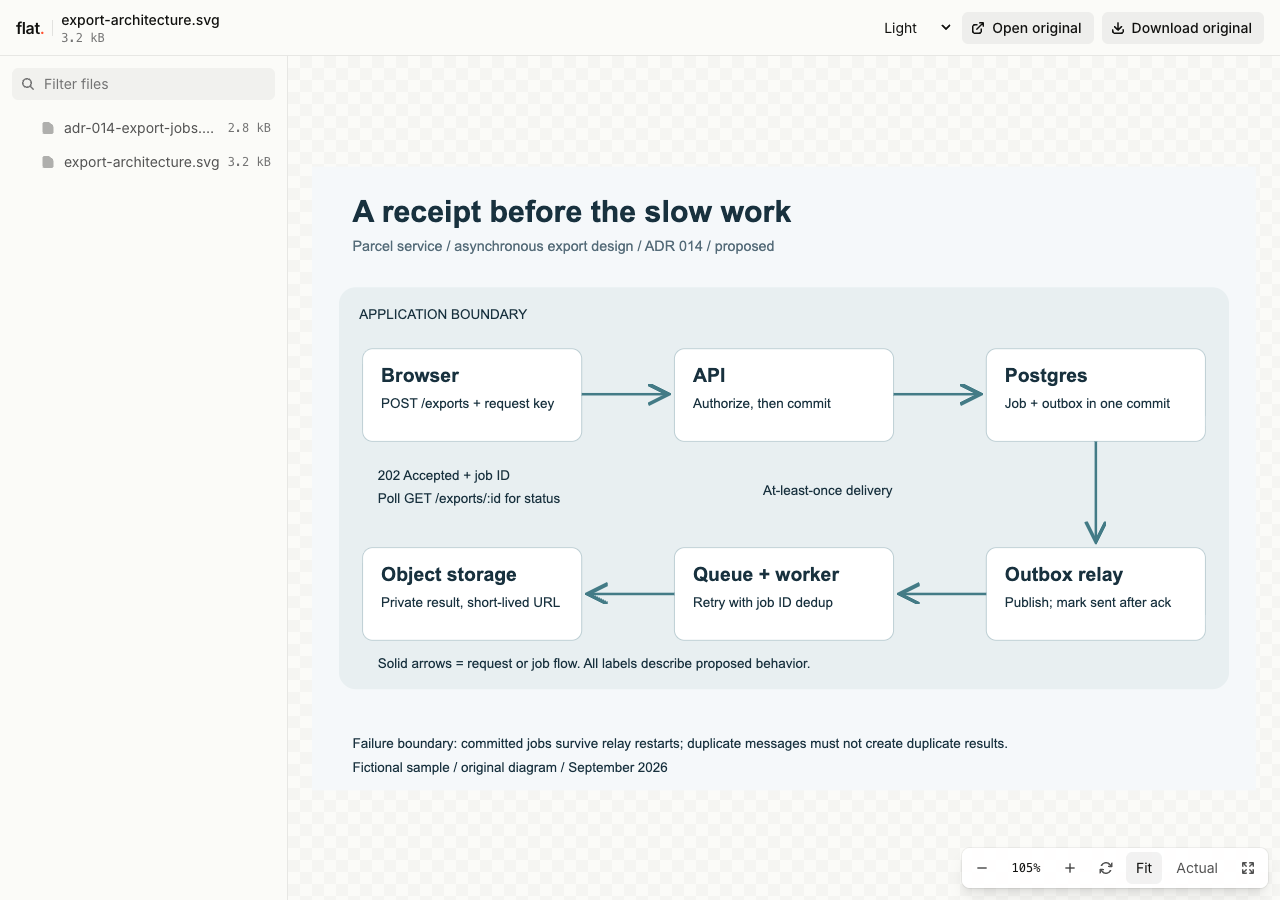
Inspect a proposed asynchronous export flow, then read the accompanying notes on retries, idempotency, and authorization.
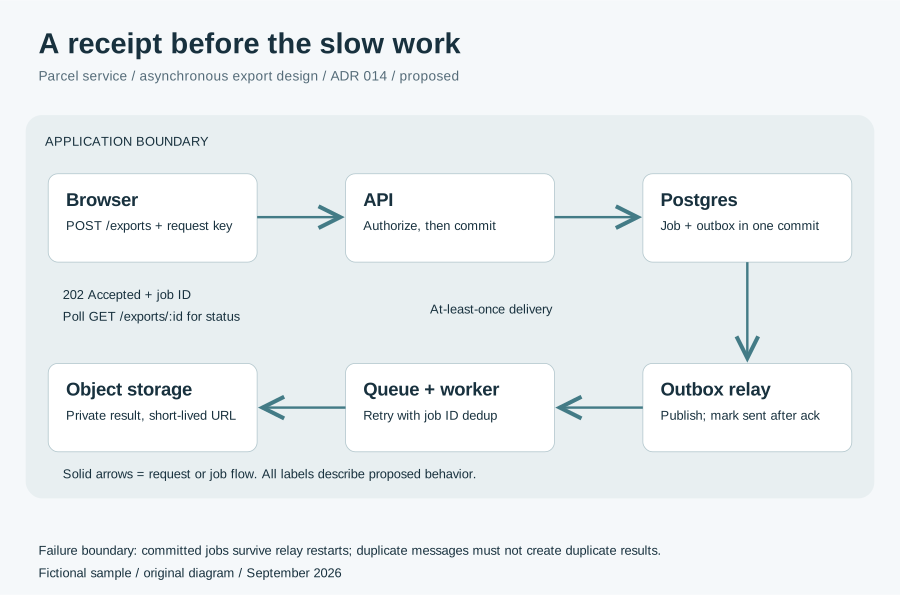
Extract the sample pack before uploading. To keep nested folders together, publish the extracted folder with the CLI.
Explain the boundaries in the picture.
Label services and show the direction of requests. Add a legend for line styles, then explain failure handling in the accompanying document. State which environment and revision the design describes. Remove credentials and private infrastructure details from anything you publish for a public engineering post.
Keep source files available for the next engineer.
Include the editable diagram source beside the exported image if colleagues will need to revise it. Flat can preview supported text and source formats, while other files remain downloadable. Write down the tool and export command in a README so the next author can reproduce the reading copy.
Prepare your files and share the link
1. Export a readable diagram
Check labels at normal browser size. Bundle the image with design notes, and include the source only when recipients need it and you can share it.
2. Protect internal designs before publishing
Set a visitor password through the CLI or API before publishing internal architecture files. Reserve the public browser uploader for documents you intend to make public.
3. Link the review pack
Check the diagram and source download. Put the link in a GitHub issue or engineering channel, with the specific design question reviewers should discuss there.
Before you publish
Will Flat render a diagram definition as an image?
Export the diagram to SVG, PNG, or PDF in your authoring tool first. You can share the definition file alongside it, but a source preview does not imply diagram compilation.
Can reviewers change the diagram in Flat?
Reviewers download the source and edit it in a compatible tool. Use your repository or document workflow to review those changes, then publish a new export when the design is ready.
Who can open the link?
Browser uploads are public. Anyone with the link can open them without a Flat account. For restricted material, publish through the CLI or API with a visitor password set before you share. Recipients who have access can still download or forward copies. Set up password protection.
Can I replace files at the same address?
Yes. Publish through the CLI to a named onflat.page address or your own domain, then use that same domain for later uploads. Browser uploads create a new version link each time. Earlier version links and downloaded copies keep their original files. Set up a reusable address.
How long do uploads stay online?
Signed-in uploads have no default expiry. Signed-out uploads expire after one hour. Sign in before that deadline to keep them online. Your plan sets upload, storage, and transfer allowances. See pricing and limits.
Prepare your design review pack.
Export the diagram at a readable size and send it with the explanation reviewers need.
Free to start. View pricing