Flat / Employee onboarding
Give new hires one place to open their welcome pack.
Send the first-week guide with the handbook and other reading materials. New colleagues can open supported documents in their browser, then download a copy when they want to read offline or bring it to an induction session.
Checking your upload limits... · Public · Limits
Drop your welcome materials here
or choose files from your device.
Choose welcome materialsThis uploader creates public links. For private files, set a password through the CLI or API.
Help a new colleague find the first task.
With several files in one upload, the recipient chooses documents from the file list. Use filenames such as 01-start-here.pdf and employee-handbook.pdf. Explain the reading order in the welcome email so the new hire knows what to open before arriving.
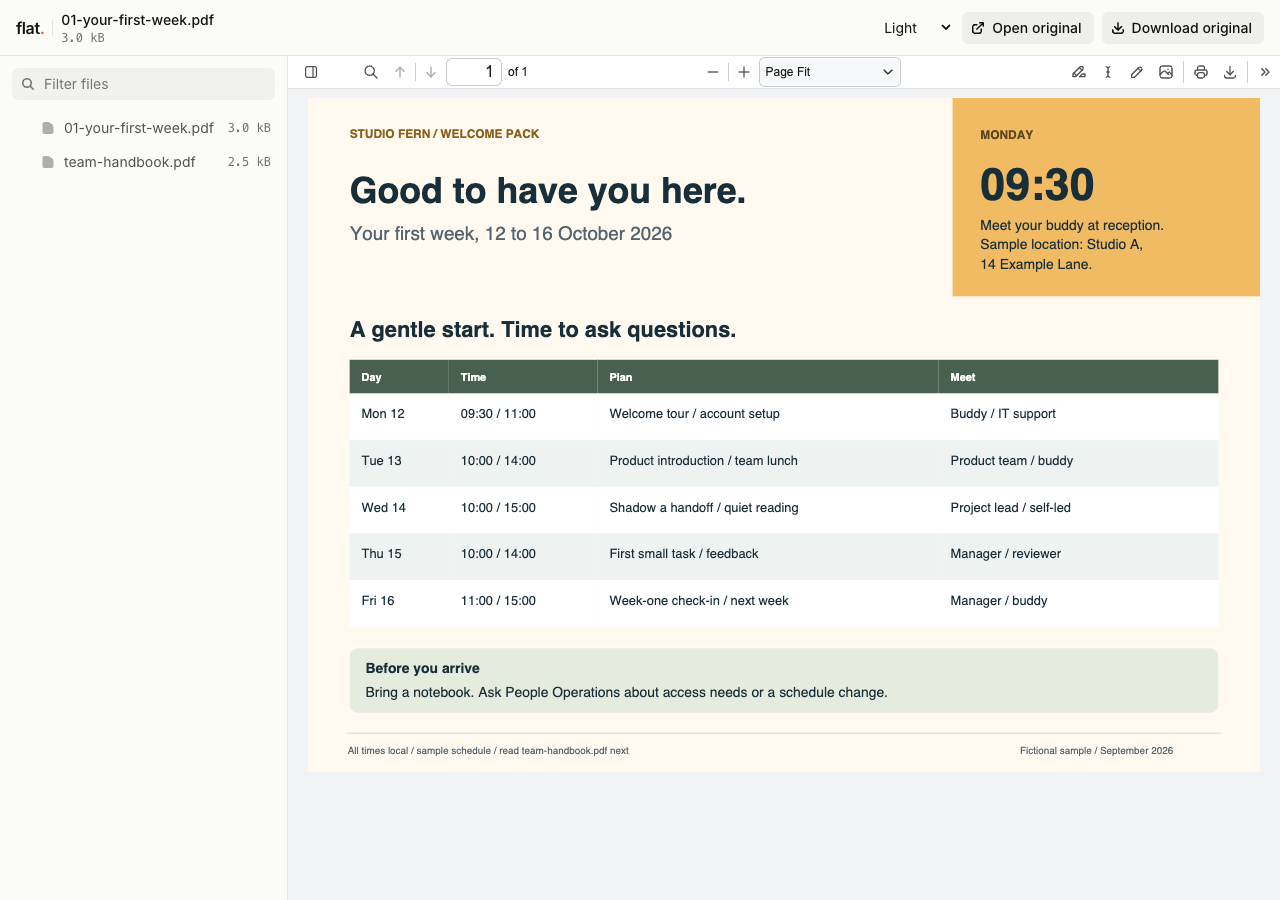
Open the fictional first-week schedule, then read the team reference for who to ask about tasks, accounts, and HR forms.
Extract the sample pack before uploading. To keep nested folders together, publish the extracted folder with the CLI.
Write for someone who does not know the company yet.
Explain where to arrive and who will meet the new hire. Spell out team names and unfamiliar abbreviations. Include a first-week schedule with a contact for changes. Keep account credentials and personal employment records in your existing HR and account setup systems, outside the shared reading pack.
Prepare a handbook people can refer back to.
Export an approved reading copy and put the effective date inside the document. Add a table of contents to longer PDFs. Name the team that answers policy questions and explain where employees should complete any required forms. Check that referenced internal pages will be available once the employee receives their work account.
Prepare your files and share the link
1. Assemble the welcome pack
Ask the hiring manager to confirm the schedule. Export the approved handbook and remove superseded drafts before you prepare the upload.
2. Set access before publication
Publish internal onboarding materials through the CLI or API with a password set before publication. The browser uploader is public, so use it only for public recruiting or company information.
3. Check the new hire's view
Open the published link and download the handbook. Send the link in the welcome email with the first-day contact and the agreed way to receive the password.
Before you publish
Can Flat record that someone accepted the handbook?
Flat does not track policy acknowledgments or collect signatures. Use your HR system or signature process when you need an acceptance record, and explain that step in the welcome instructions.
Can we include editable forms?
You can share downloadable originals. Tell new hires how to complete and return them through your HR process; Flat does not collect completed forms or manage onboarding tasks.
Who can open the link?
Browser uploads are public. Anyone with the link can open them without a Flat account. For restricted material, publish through the CLI or API with a visitor password set before you share. Recipients who have access can still download or forward copies. Set up password protection.
Can I replace files at the same address?
Yes. Publish through the CLI to a named onflat.page address or your own domain, then use that same domain for later uploads. Browser uploads create a new version link each time. Earlier version links and downloaded copies keep their original files. Set up a reusable address.
How long do uploads stay online?
Signed-in uploads have no default expiry. Signed-out uploads expire after one hour. Sign in before that deadline to keep them online. Your plan sets upload, storage, and transfer allowances. See pricing and limits.
Prepare the first-day reading pack.
Check the handbook and welcome instructions before you send the new hire their link.
Free to start. View pricing