Flat / Documentation authors
Give your project guide a reading link.
Publish the documentation you have already written and built. Flat hosts static documentation sites or individual guides so readers can open the instructions without checking out your source repository.
Checking your upload limits... · Public · Limits
Drop your documentation here
or choose files from your device.
Choose documentationThis uploader creates public links. For private files, set a password through the CLI or API.
Let readers follow the guide in a browser.
Your documentation site keeps the navigation and code examples included in its build. For a standalone PDF guide, readers can use Flat's viewer and download the original to keep with their project files.
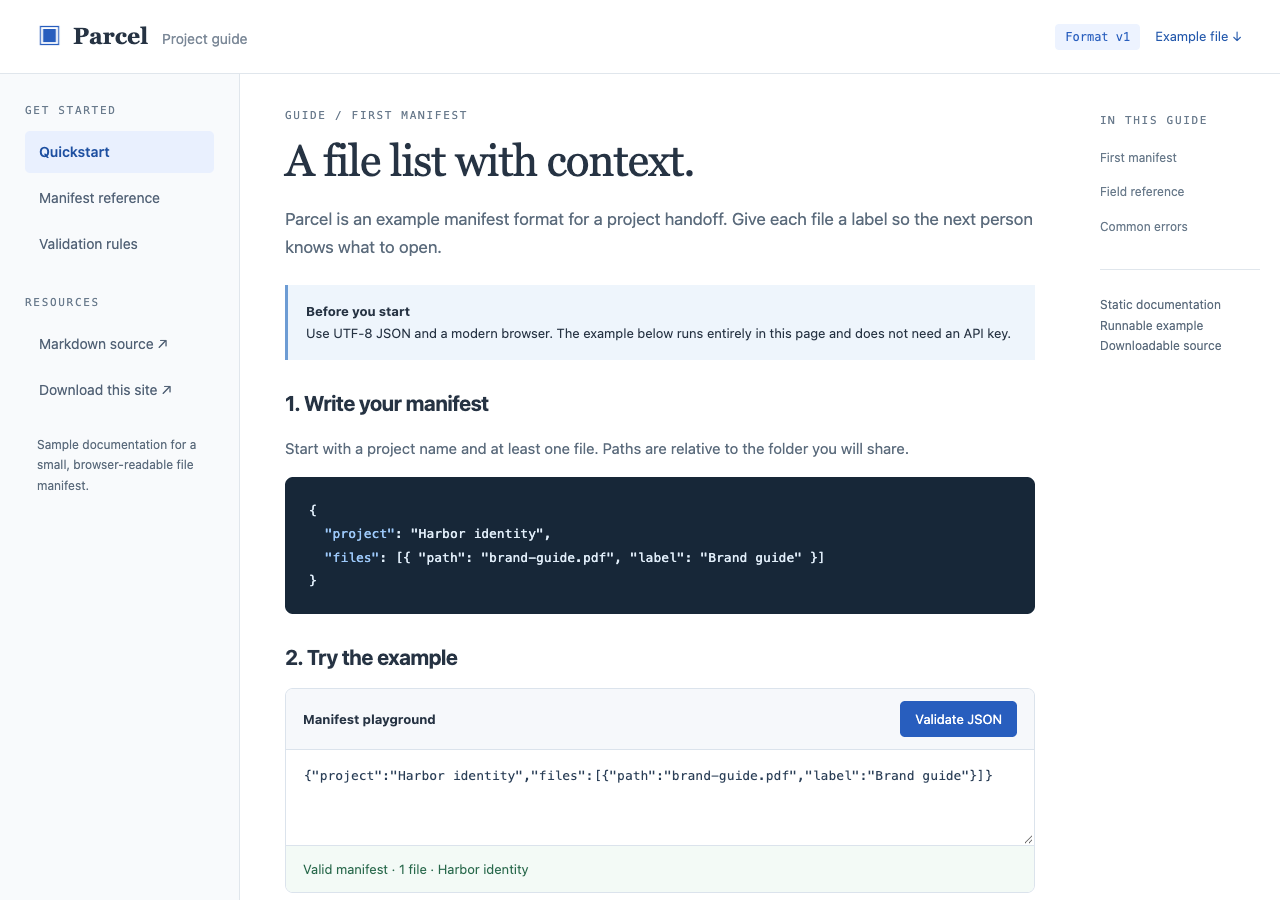
Read the sample manifest guide, navigate its reference chapters, and validate JSON in the browser. The package includes the example JSON and Markdown source.
- Open working example
- Download documentation site
- Download example manifest
- Download Markdown guide
- Download the complete sample pack
Extract the sample pack before uploading. To keep nested folders together, publish the extracted folder with the CLI.
Write for the person arriving at one page.
A colleague may follow a link straight to a setup step rather than start at the introduction. Include the required product version and prerequisites where they need them. Link to relevant background pages in your guide. Check those direct URLs after publishing so the person following your message reaches the intended instructions.
Keep runnable examples with their explanation.
A static guide can include browser-based examples and downloadable source files. Bundle the assets each example needs and use paths that match the published folder. If an example calls a separate service, explain how readers can configure it. Flat does not supply a server runtime for code snippets or execute notebook kernels.
Prepare your files and share the link
1. Build the documentation
Generate the static site with your usual tool, or export a finished guide. Check that the instructions match the release you describe.
2. Publish the reading copy
Upload a single guide above. For a built site, extract any ZIP and use the CLI to publish its output folder with paths intact.
3. Follow a fresh reader's route
Open a direct chapter link and reload it. Try an example and download a referenced file before sharing the guide.
Before you publish
Can I publish Markdown files directly?
You can share Markdown as source text. For a documentation website with your chosen layout and navigation, build the Markdown into static HTML first and publish that output.
Will search in my documentation site work?
A search feature that uses bundled browser code and a static index can work. Search that requires a backend still needs that service. Check search in your actual published build.
Can I offer a folder of reference files?
Yes. With viewer mode active and no root index.html, Flat opens a file explorer for multiple files. A root index.html takes priority and opens your documentation site instead.
Who can open the link?
Browser uploads are public. Anyone with the link can open them without a Flat account. For restricted material, publish through the CLI or API with a visitor password set before you share. Recipients who have access can still download or forward copies. Set up password protection.
Can I replace files at the same address?
Yes. Publish through the CLI to a named onflat.page address or your own domain, then use that same domain for later uploads. Browser uploads create a new version link each time. Earlier version links and downloaded copies keep their original files. Set up a reusable address.
How long do uploads stay online?
Signed-in uploads have no default expiry. Signed-out uploads expire after one hour. Sign in before that deadline to keep them online. Your plan sets upload, storage, and transfer allowances. See pricing and limits.
Publish the guide your reader needs.
Start with one finished document, or publish your built site when its chapters are ready.
Free to start. View pricing