Flat / Design-system teams
Share your component gallery for review.
Share a built component gallery with designers and engineers who need to review it. Flat hosts finished static files so colleagues can inspect your examples without starting your local development environment.
Checking your upload limits... · Public · Limits
Drop your component preview here
or choose files from your device.
Choose component previewThis uploader creates public links. For private files, set a password through the CLI or API.
Let reviewers inspect the states you included.
Colleagues can open the gallery and try browser-based interactions present in your build. Include the states you want discussed, such as a long label or an error message in a narrow layout.
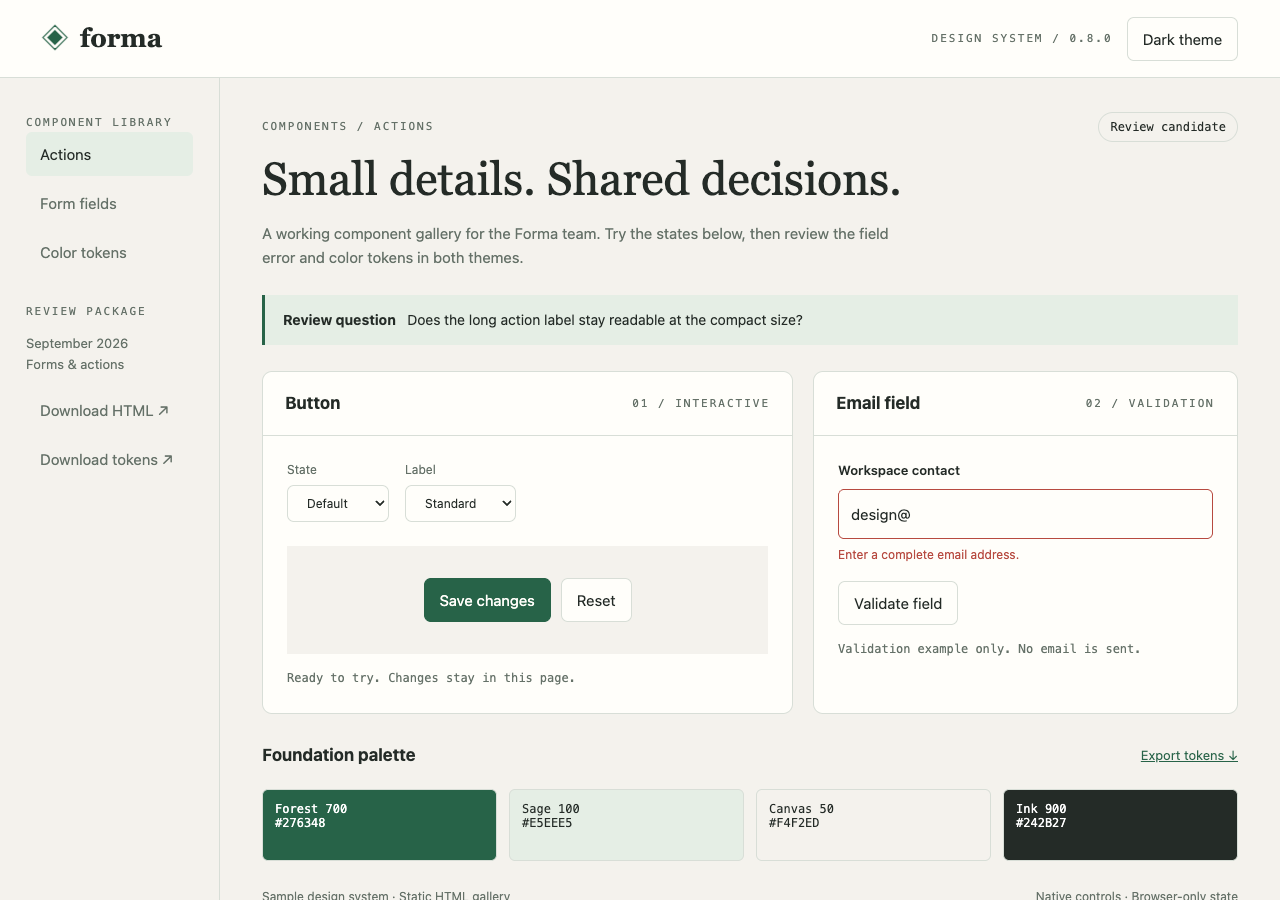
Try the light and dark themes, switch button states, and validate the email field. This static HTML gallery includes downloadable color tokens.
- Open working example
- Download component gallery
- Download design tokens
- Download the complete sample pack
Extract the sample pack before uploading. To keep nested folders together, publish the extracted folder with the CLI.
Make the review about a component decision.
Prepare examples around the change under discussion. A form review might need a validation message beside its input and a disabled submission state. Add explanatory text so reviewers know which behavior is intentional. Collect their feedback in the issue or design discussion where you will record the decision.
Publish the gallery's built output.
A static component gallery can include its own documentation and browser controls. A Storybook project needs a compatible static build first. Include generated assets with their relative paths and check any addons against the hosted result. Flat does not run the development server or provide services that an example expects to call.
Prepare your files and share the link
1. Build the examples for review
Include the component states and fixture data reviewers need. Generate the static output in your own development environment.
2. Publish the complete output folder
Use the CLI for nested build assets. Extract ZIP output first and keep the generated root
index.htmlat the published root.3. Check the review links
Open the gallery and direct links to the relevant examples. Test controls before sending those links with your review question.
Before you publish
Can I publish a Storybook build?
A compatible static build can fit this workflow. Publish and verify your actual output, including example navigation and addons.
Will examples connected to a backend work?
They still need an accessible backend configured for browser requests, or fixture data bundled into the example. Flat serves the static build and does not run your application server.
Does Flat run visual regression or accessibility checks?
No. Run those checks with your existing development tools. Use the published gallery to let colleagues inspect the finished examples and discuss the results.
Who can open the link?
Browser uploads are public. Anyone with the link can open them without a Flat account. For restricted material, publish through the CLI or API with a visitor password set before you share. Recipients who have access can still download or forward copies. Set up password protection.
Can I replace files at the same address?
Yes. Publish through the CLI to a named onflat.page address or your own domain, then use that same domain for later uploads. Browser uploads create a new version link each time. Earlier version links and downloaded copies keep their original files. Set up a reusable address.
How long do uploads stay online?
Signed-in uploads have no default expiry. Signed-out uploads expire after one hour. Sign in before that deadline to keep them online. Your plan sets upload, storage, and transfer allowances. See pricing and limits.
Share the component state under review.
Publish your finished gallery and send colleagues the example you want them to inspect.
Free to start. View pricing