Flat / Benefits consultants
Give employees a link to their benefits guide.
Prepare a reading pack for the enrollment period and send it through the employer's usual communication channels. Employees can compare the published information in their browser or download the guide to discuss their options at home.
Checking your upload limits... · Public · Limits
Drop your benefits materials here
or choose files from your device.
Choose benefits materialsThis uploader creates public links. For private files, set a password through the CLI or API.
Keep the instructions beside the plan summaries.
Publish the guide and approved supporting PDFs together so readers can choose the document they need. Name files by plan and coverage year. Put the enrollment deadline and the benefits contact near the start of the guide, where employees can find them.
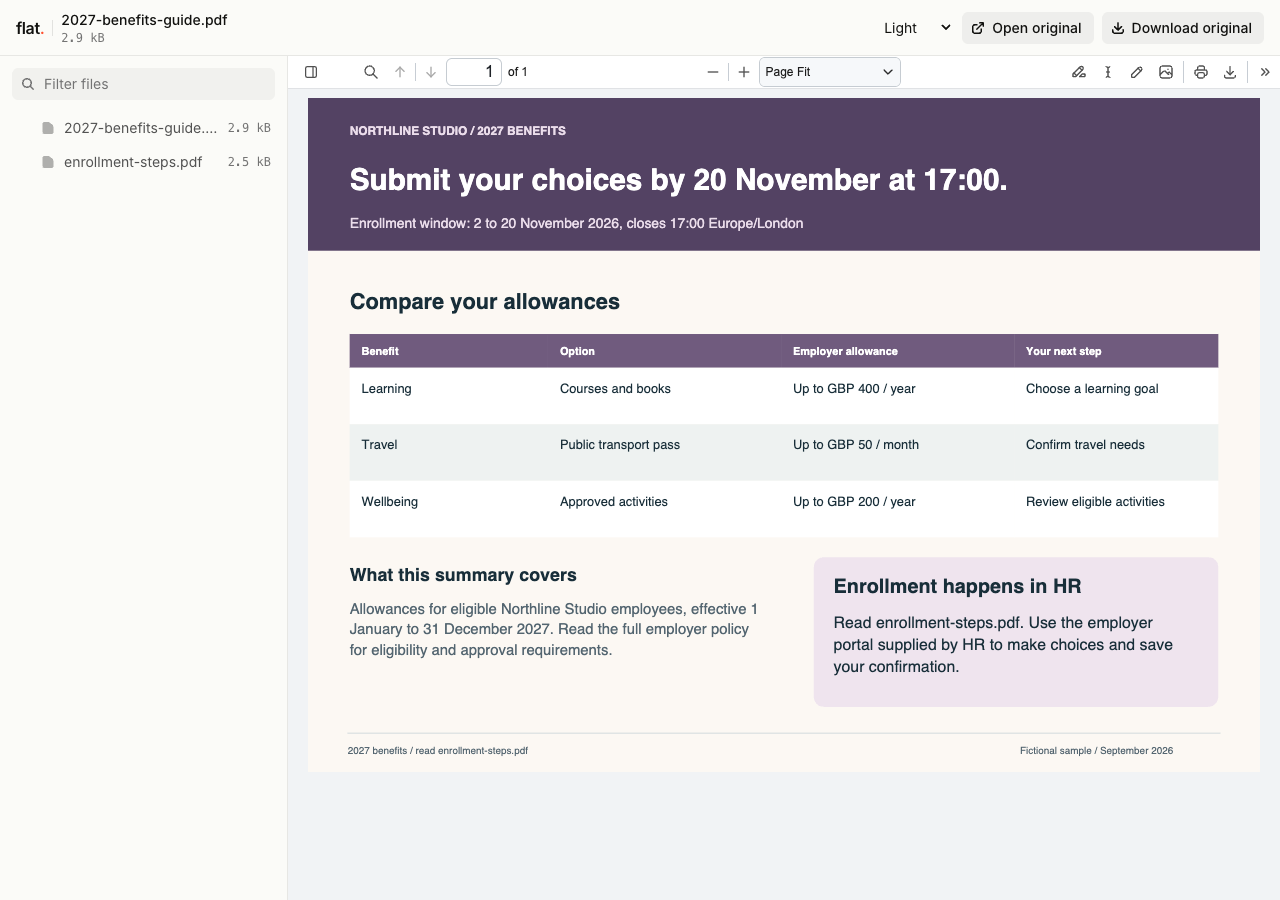
Compare invented employer allowances, then follow the instructions for making choices in an employer's HR system.
Extract the sample pack before uploading. To keep nested folders together, publish the extracted folder with the CLI.
Prepare a pack for one employer and coverage period.
Confirm the plan names and effective dates with the employer before exporting. Identify which documents contain the full terms and explain any eligibility assumptions in the summary. Check tables at a readable size, especially contributions and coverage limits. Remove employee lists and personal enrollment information from the publication files.
Tell employees where to make their choices.
Include the address of the employer's enrollment portal and explain the steps employees need to take there. State the deadline with its time zone when relevant. Use the HR email or company intranet to distribute the guide, and direct personal coverage questions to the employer's approved benefits contact.
Prepare your files and share the link
1. Review the final PDFs
Compare the guide with the approved plan documents. Check coverage dates and portal links, then export reading copies with clear filenames for each plan.
2. Configure access before publication
For employer-specific internal materials, set a password through the CLI or API before publishing. Use the public browser uploader only for brochures approved for public distribution.
3. Send the enrollment reading link
Check each preview and download. Give HR the link for its enrollment announcement, with instructions that distinguish reading the guide from submitting choices in the enrollment portal.
Before you publish
Can employees enroll in benefits through Flat?
Flat hosts the published files. Employees make elections and submit personal details in the employer's enrollment system. Include that system's address in the guide and the announcement email.
Can Flat tell us who has read the guide?
Flat does not provide reader tracking or acknowledgment records. Use the employer's existing process for required confirmations and enrollment reminders. A published PDF is a reading resource, not a record of an employee's choices.
Who can open the link?
Browser uploads are public. Anyone with the link can open them without a Flat account. For restricted material, publish through the CLI or API with a visitor password set before you share. Recipients who have access can still download or forward copies. Set up password protection.
Can I replace files at the same address?
Yes. Publish through the CLI to a named onflat.page address or your own domain, then use that same domain for later uploads. Browser uploads create a new version link each time. Earlier version links and downloaded copies keep their original files. Set up a reusable address.
How long do uploads stay online?
Signed-in uploads have no default expiry. Signed-out uploads expire after one hour. Sign in before that deadline to keep them online. Your plan sets upload, storage, and transfer allowances. See pricing and limits.
Prepare the enrollment reading pack.
Publish the approved guides and give HR a link to include with the enrollment instructions.
Free to start. View pricing