Flat / Authors and publishers
Give readers a link to your next chapter.
Share a sample chapter with your mailing list or send a reading copy to a reviewer. Publish your exported EPUB or PDF. Readers can open supported files in their browser and download a copy.
Checking your upload limits... · Public · Limits
Drop your reading copy here
or choose files from your device.
Choose reading copyThis uploader creates public links. For private files, set a password through the CLI or API.
Let readers open the format you prepared.
An EPUB opens in Flat's ebook reader within preview limits. A PDF opens in the PDF viewer with your page layout. If you include both formats, readers can choose the one they prefer or download it for their own reading app.
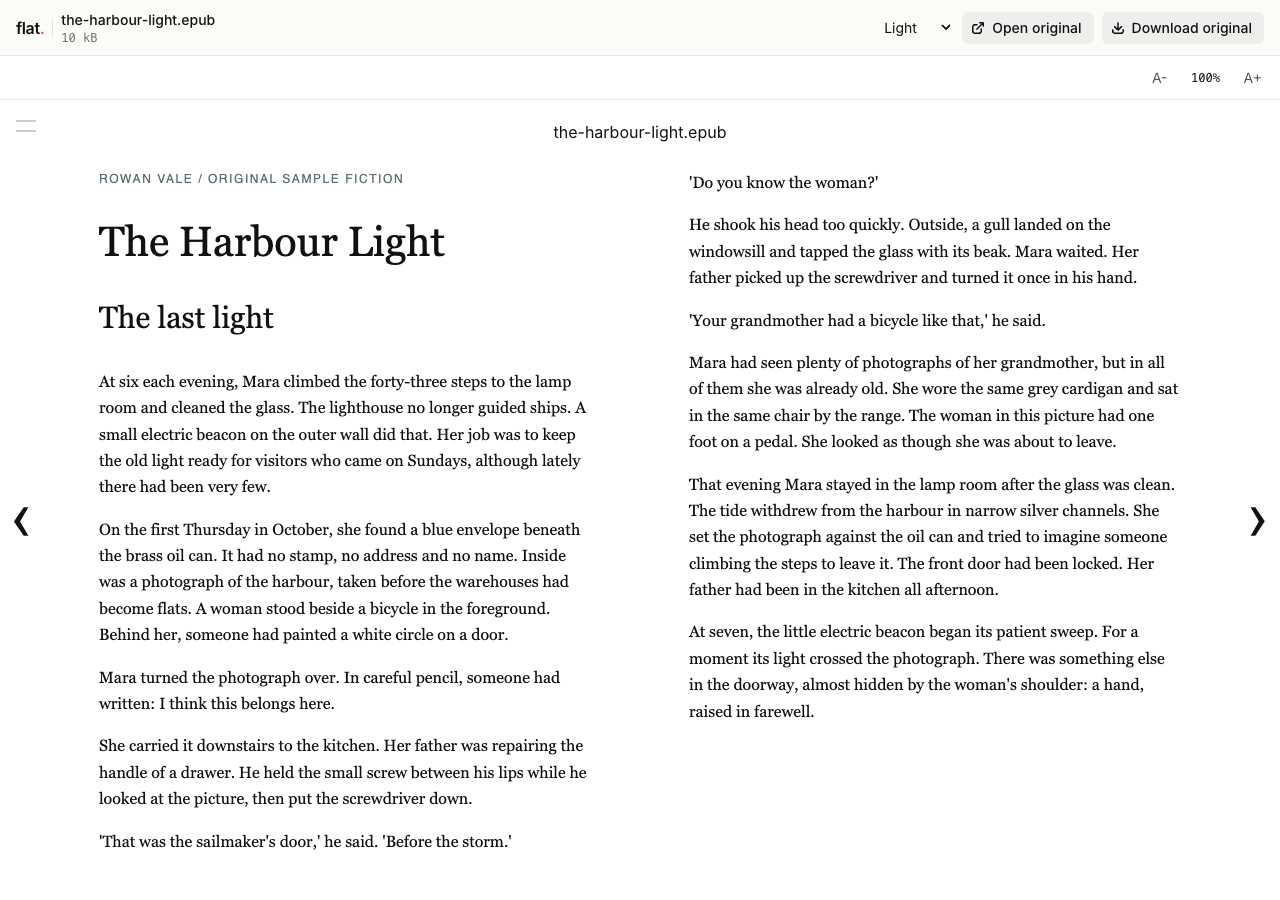
Read The Harbour Light, an original sample story under the fictional byline Rowan Vale. The EPUB includes two short chapters, chapter navigation, and a reading-group note.
Publish an excerpt with enough context.
Include the book title and author inside the file, followed by the chapter or passage you want to share. Add a short note about the edition if the text is still in progress. A sample chapter can accompany an announcement email while your existing book page holds ordering details and publication dates.
Prepare a reading copy for reviewers.
Label the edition and add a contact address for review questions. Put feedback instructions in a companion document or your email. Ask reviewers to return notes through your usual channel, since they cannot annotate the book together inside Flat. Share only the material you intend recipients to keep.
Prepare your files and share the link
1. Export the intended edition.
Create an EPUB or PDF in your publishing app. Check chapter order and remove drafting notes from the copy you want readers to receive.
2. Publish the reading files.
Upload the excerpt or book. If you provide both formats, give them matching titles so readers can recognize them in the file list.
3. Read the published opening.
Check the first chapter and an image-heavy page in the browser. Download the original to verify it before sending the link to readers.
Before you publish
Will Flat convert my manuscript into an EPUB?
Export the EPUB from your publishing app before uploading. Flat reads supported EPUB files but does not convert a Word manuscript into an ebook. You can publish a PDF reading copy if you have one.
Can I prevent readers from copying a review edition?
Flat does not provide DRM or download prevention. Anyone with access can download the original and forward it. Publish an excerpt if you only want to distribute part of the book, and agree on review terms with recipients separately.
Who can open the link?
Browser uploads are public. Anyone with the link can open them without a Flat account. For restricted material, publish through the CLI or API with a visitor password set before you share. Recipients who have access can still download or forward copies. Set up password protection.
Can I replace files at the same address?
Yes. Publish through the CLI to a named onflat.page address or your own domain, then use that same domain for later uploads. Browser uploads create a new version link each time. Earlier version links and downloaded copies keep their original files. Set up a reusable address.
How long do uploads stay online?
Signed-in uploads have no default expiry. Signed-out uploads expire after one hour. Sign in before that deadline to keep them online. Your plan sets upload, storage, and transfer allowances. See pricing and limits.
Share the edition you want readers to see.
Upload your ebook or sample chapter and check it before sending the reading link.
Free to start. View pricing