Flat / AI-generated work
Give your AI-generated work a link.
You have a finished report or page in your AI tool. Export the files and publish them with Flat so someone else can open the result without joining your conversation or copying code into an editor.
Checking your upload limits... · Public · Limits
Drop your generated files here
or choose files from your device.
Choose generated filesThis uploader creates public links. For private files, set a password through the CLI or API.
Let someone read the finished result.
Your reader opens the published HTML in their browser. Charts and controls can work when the export includes the JavaScript and data they need. A PDF export opens in Flat's document viewer.
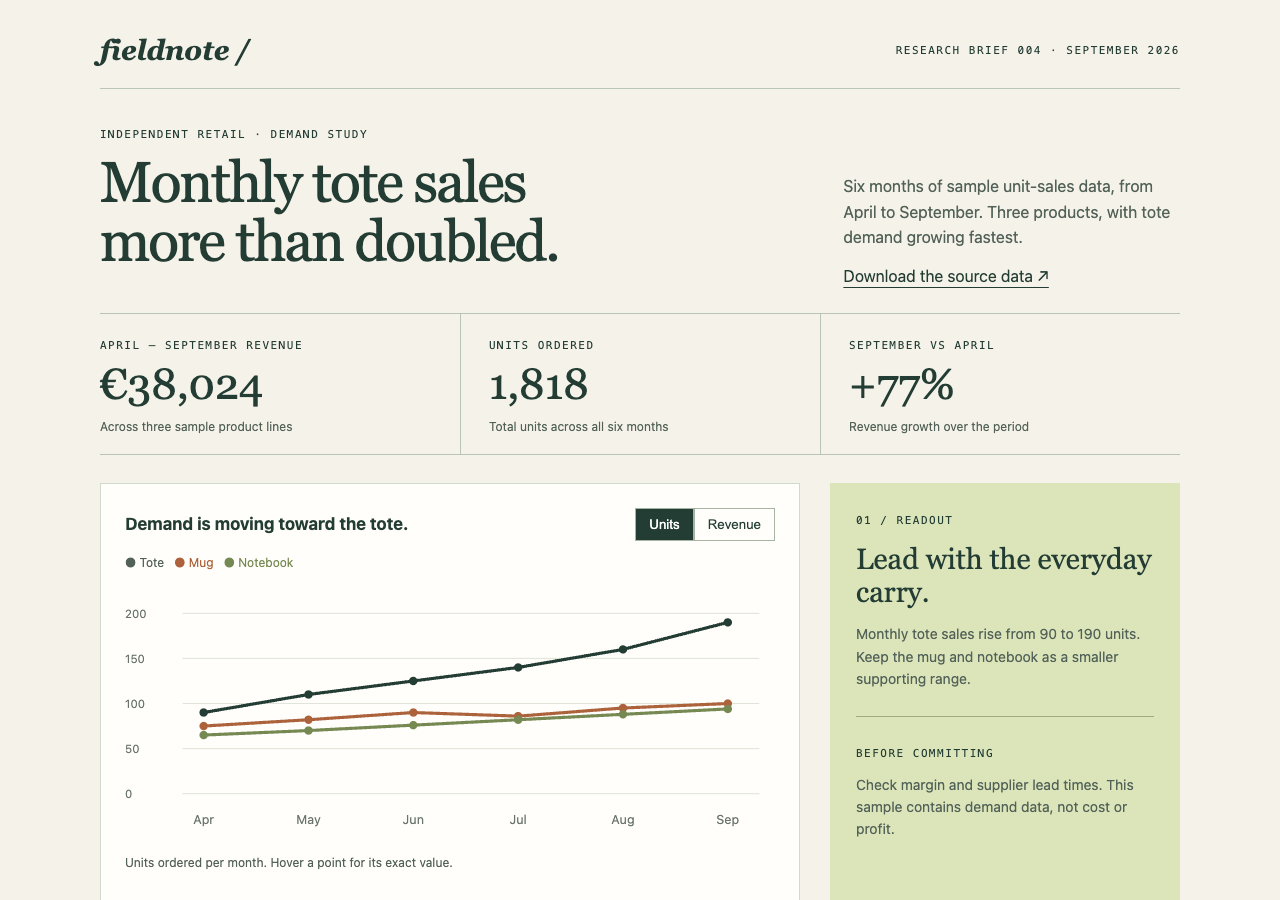
Open a finished HTML report, switch its chart between units and revenue, and download the fictional source data.
- Open working example
- Interactive retail report
- Sample unit-sales data
- Download the complete sample pack
Extract the sample pack before uploading. To keep nested folders together, publish the extracted folder with the CLI.
Take the report into a client conversation.
Send a link to the analysis you want to discuss. Your client can read the conclusions before a call and refer to the same chart during it. Add source notes and the reporting period to your document before publishing, so the result makes sense outside the chat that produced it.
Export a page that stands on its own.
Ask your tool for finished static files. A self-contained HTML report is a useful first upload. For a larger export, include its images and scripts with their relative paths intact. Flat serves those files; it does not run the AI tool, generate new answers, or supply a backend for an unfinished app.
Prepare your files and share the link
1. Export the work you want reviewed
Save the finished HTML or PDF. Check generated claims and remove draft instructions that do not belong in the reader's copy.
2. Publish the finished files
Upload a standalone page above. For an export with subfolders, extract any ZIP and publish the folder through the CLI.
3. Open it outside the AI tool
Follow the published link and try the charts or controls. Send it with the question you want your reader to answer.
Before you publish
Can I publish something made with Claude or ChatGPT?
Yes, if you can export finished files that work independently of the tool. Name the main HTML file index.html to open it at the root link.
Will an AI-generated app keep working after upload?
Browser JavaScript can run. Server code, secret API credentials, and features tied to the AI tool's runtime need a separate setup. Check those dependencies before treating an export as a working app.
Who can open the link?
Browser uploads are public. Anyone with the link can open them without a Flat account. For restricted material, publish through the CLI or API with a visitor password set before you share. Recipients who have access can still download or forward copies. Set up password protection.
Can I replace files at the same address?
Yes. Publish through the CLI to a named onflat.page address or your own domain, then use that same domain for later uploads. Browser uploads create a new version link each time. Earlier version links and downloaded copies keep their original files. Set up a reusable address.
How long do uploads stay online?
Signed-in uploads have no default expiry. Signed-out uploads expire after one hour. Sign in before that deadline to keep them online. Your plan sets upload, storage, and transfer allowances. See pricing and limits.
Share the file you already made.
Start with one finished page or report and open the published link before sending it to your reader.
Free to start. View pricing