Flat / Ogg hosting
OGG hosting: upload Ogg audio and share a link
Publish Ogg audio from your browser or the CLI. Share a listening link for compatible browsers and keep the original OGG or OGA file available to download.
Checking your upload limits... · Public · Limits
Drop your Ogg files here
or choose them from your device.
Select Ogg filesWhat listeners see at your Ogg link
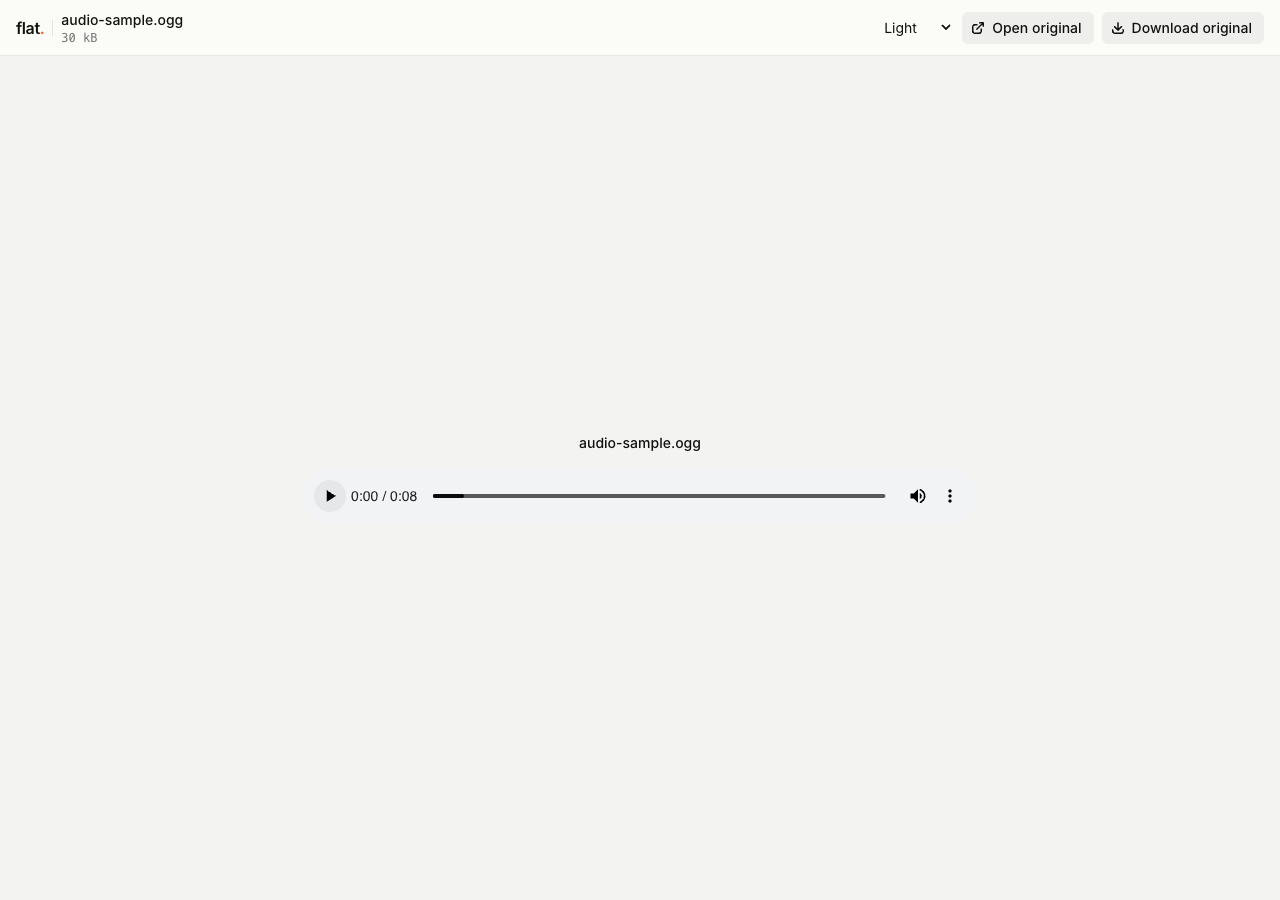
The screenshot shows an Ogg Vorbis recording in Flat's browser player. Playback depends on the codec inside the container, not only the filename extension.
Ogg audio can use .ogg or the audio-specific .oga extension. Flat recognizes both. An Ogg file containing video is not the audio example covered here.
A single supported file opens with browser playback controls. Several files open in the explorer, where listeners can choose a recording. Public links need no Flat account. Original downloads remain available.
The exact path /audio-sample.ogg serves the original audio. Use the main link for Flat's viewer or the exact file URL with your own player.
How to upload Ogg audio and get a link
Prepare your recording
Check which codec your audio tool writes into the Ogg container. The sample uses Vorbis. Keep the correct extension and listen to the exported file before uploading.
If your export uses the
.opusextension, use the Opus guide. For an audience with mixed browser support, export a separate listening alternative and check it on their devices.Publish from your browser or terminal
In your browserGo to uploaderDrop, publish, copy the link.
Drop your finished recordings into the uploader above, or choose them from your device. Enter your email if signed out, then choose "Publish audio".
Selected files need unique names and publish at the top level. Use the CLI for folders; the browser uploader does not accept folders or extract ZIPs.
TerminalNode.js 20+One command. Files or folders.
npx -y @getflat/cli deploy ./audio-sample.oggReplace the example path with your recording, or pass a folder path for several files. The CLI preserves relative paths and prints the published URL.
Listen before sharing
Play the Ogg file in the browsers your listeners use. If decoding fails, provide an alternative export or direct them to the original download for a compatible player.
Signed-out uploads expire after 1 hour by default. Sign in before expiry to keep them online, or sign in before publishing for no default expiry.
What you can share with Ogg hosting
Vorbis audio exports
Share a finished Ogg Vorbis recording without converting it to another format. Recipients keep access to the original export.
Game audio handoffs
Publish Ogg sound assets for a game team. Developers can download each file and check it in the target engine.
Web audio alternatives
Host an Ogg source beside another audio format for your own website player. Configure source selection in your HTML.
Keep a version, or keep an address.
Share this version
Every upload gets its own link. Publishing revised files creates a new link and leaves the earlier version unchanged. Use the version link when someone needs to review a specific upload.
Update files at one address
Use a named onflat.page address or your own domain. Sign in, then publish with the CLI using --domain. Publish revised files with the same domain to point that address to the new upload.
Named addresses are included on Free. Adding your own domain requires a paid plan. The browser uploader does not set up or repoint these addresses.
Ogg hosting questions
Is hosting free, and what are the limits?
Yes. Signed-in Free includes 5 MiB per upload, 1 GiB of storage, and 5 GiB of monthly transfer, with no default expiry. The per-upload limit covers all files in that upload. Paid plans raise these limits.
Do readers need a Flat account?
No. Public links open without a Flat account. Anyone with the link can open the uploaded files. Password-protected links also require the visitor password.
Can I password-protect my upload?
Yes. Password protection is available on every plan. Add --password YOUR_PASSWORD to your CLI deploy command. It protects access to the upload and its files, but does not prevent someone with access from saving a copy. The browser uploader creates public uploads.
Can I replace files without changing the link?
A version link always refers to its original upload. For same-address updates, use a named address or your own domain. Publish revised files with the same --domain value in the CLI to point that address to the new upload.
What happens when an upload expires?
Flat stops serving it. An expired upload cannot be recovered. Signed-out uploads expire after 1 hour by default. For browser uploads, use the sign-in link shown after publishing. For CLI uploads, run npx -y @getflat/cli login. Complete sign-in before expiry to keep the upload online. If you chose a shorter expiry in the CLI, that deadline stays in place.
Are OGG and OGA different codecs?
No. They are filename extensions used for Ogg containers; OGA specifically indicates audio. Neither extension alone identifies the codec. Flat recognizes both as audio files.
Is Ogg the same as Vorbis?
Ogg is the container. Vorbis is an audio codec that can be stored inside it. Ogg can also contain other codecs, so check the encoding when troubleshooting playback.
Does Flat choose an audio fallback automatically?
No. The viewer plays the selected file. You can upload alternatives and reference them as separate sources in your own HTML audio player.
How large can a Ogg preview be?
Flat's built-in viewer previews audio files up to 5 MiB, provided the browser supports the encoding. Your hosting plan may allow larger uploads, but paid plans do not raise this preview limit. Larger recordings remain available at their original URLs for downloading or use with your own compatible player.
Can I embed my Ogg recording on a website?
Use a public upload's original audio URL:
<audio controls src="https://YOUR-ADDRESS.onflat.page/audio-sample.ogg"></audio>The generated Flat viewer cannot be embedded in an iframe. Your own player still relies on browser codec support and autoplay rules.
Another audio format?
Find the guide for your audio file.
Share your next Ogg recording.
Publish the finished audio, check playback, and copy the link.
Publish audioFree to start · View pricing