Flat / Word document hosting
Word document hosting: share your document as a link.
Publish Word documents from your browser or the CLI. Readers can open a generated PDF preview and download the original document without a Flat account.
Checking your upload limits... · Public · Limits
Drop your Word documents here
or choose them from your device.
Select documentsWhat readers see at your Word document link
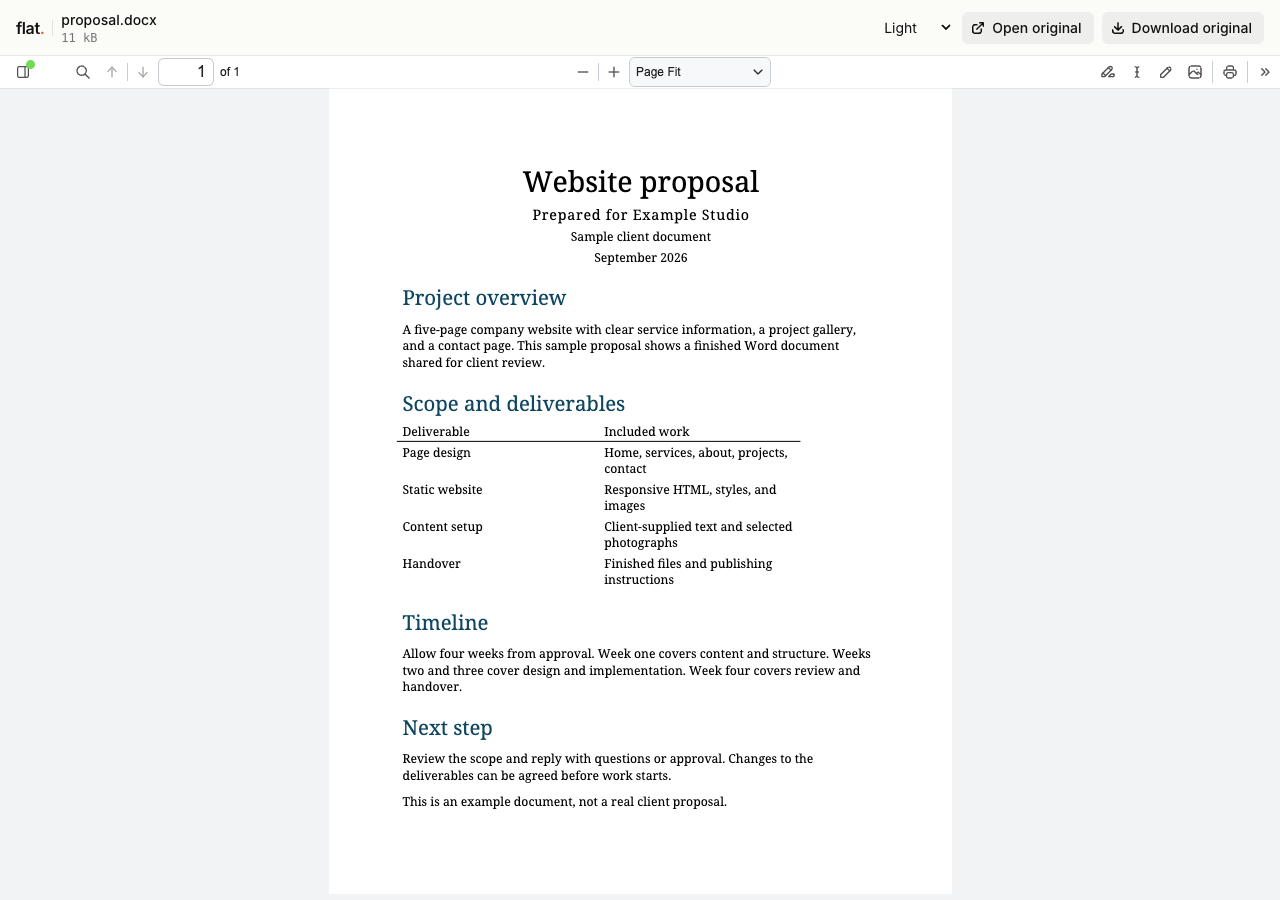
A single DOCX or DOC file opens in Flat's viewer. Flat generates a PDF preview when a reader opens the document, then displays it with page navigation and zoom controls.
Upload several documents together and readers can choose one from the file explorer. The original Word files stay unchanged and remain available to download.
An exact file path, such as /proposal.docx, serves the original document. Share the main link when you want readers to see the browser preview.
How to turn a Word document into a link
Prepare your document
Save the finished document as DOCX or DOC. Include images in the document rather than relying on remote assets. Flat also generates PDF previews for ODT and RTF files.
Check the generated preview before sharing. If you need the PDF layout produced by your own editor, export a PDF there and publish that instead.
Upload in your browser
Drop your documents into the uploader above, or select them from your device. Enter your email if signed out, then choose "Publish documents".
Each file needs a unique name. Selected files publish at the top level. For a folder of documents, use the CLI. The browser uploader does not extract ZIPs.
Deploy with the CLI
Install Node.js 20 or newer, then run this command from the directory containing your document:
npx -y @getflat/cli deploy ./proposal.docxReplace ./proposal.docx with your file path, or pass a folder path to publish several documents. The CLI preserves relative file paths and prints the published URL.
Open and share the URL
Open the published link and check page breaks, tables, and images in the preview. Readers can download the Word file if they need to work with the original.
Signed-out uploads expire after 1 hour by default. Sign in before expiry to keep them online, or sign in before publishing for no default expiry.
What you can publish with Word document hosting
Proposals and reports
Send a finished document as a link in an email or message. Recipients can read the PDF preview before deciding whether to download the Word file.
Templates and worksheets
Let people preview a template, then download the original DOCX to fill in with their own editor. The shared upload keeps its original content.
Guides and handouts
Share instructions or training materials with a group. For recurring revisions, use a reusable address so the distributed link can point to your latest upload.
Keep a version, or keep an address.
Share this version
Every upload gets its own link. Publishing revised files creates a new link and leaves the earlier version unchanged. Use the version link when someone needs to review a specific upload.
Update files at one address
Use a named onflat.page address or your own domain. Sign in, then publish with the CLI using --domain. Publish revised files with the same domain to point that address to the new upload.
Named addresses are included on Free. Adding your own domain requires a paid plan. The browser uploader does not set up or repoint these addresses.
Word document hosting questions
Is hosting free, and what are the limits?
Yes. Signed-in Free includes 5 MiB per upload, 1 GiB of storage, and 5 GiB of monthly transfer, with no default expiry. The per-upload limit covers all files in that upload. Paid plans raise these limits.
Do readers need a Flat account?
No. Public links open without a Flat account. Anyone with the link can open the uploaded files. Password-protected links also require the visitor password.
Can I password-protect my upload?
Yes. Password protection is available on every plan. Add --password YOUR_PASSWORD to your CLI deploy command. It protects access to the upload and its files, but does not prevent someone with access from saving a copy. The browser uploader creates public uploads.
Can I replace files without changing the link?
A version link always refers to its original upload. For same-address updates, use a named address or your own domain. Publish revised files with the same --domain value in the CLI to point that address to the new upload.
What happens when an upload expires?
Flat stops serving it. An expired upload cannot be recovered. Signed-out uploads expire after 1 hour by default. For browser uploads, use the sign-in link shown after publishing. For CLI uploads, run npx -y @getflat/cli login. Complete sign-in before expiry to keep the upload online. If you chose a shorter expiry in the CLI, that deadline stays in place.
Do readers need Microsoft Word?
No. Readers can view a successfully generated PDF preview in their browser. To edit the original DOCX or DOC file, they need to download it and open it in a compatible editor.
Can people edit or comment on the shared document?
Flat provides a preview and original-file download. It does not provide shared Word editing, comments, or tracked-change collaboration. Edit in your own tool, then publish a revised file.
What are the Word preview limits?
PDF conversion accepts up to 5 MiB of source per document and produces up to 20 MiB of PDF output. It has a 75-second deadline, including queue time. Paid hosting plans do not increase these preview limits. If conversion fails or exceeds a limit, the original document remains available to download.
Will every Word feature appear in the preview?
The preview is a generated PDF, so check its layout before sharing. Conversion does not run macros or fetch remote assets. For a specific final layout, publish a PDF exported from your own editor.
Can I embed the document viewer?
Flat's generated viewer cannot be embedded in an iframe and keeps Flat branding on every plan. Link to the viewer or share the original document URL.
Send a link to your next document.
Publish your Word file, check its PDF preview, and share the URL.
Publish documentsFree to start · View pricing
Already exported your document? See PDF hosting.